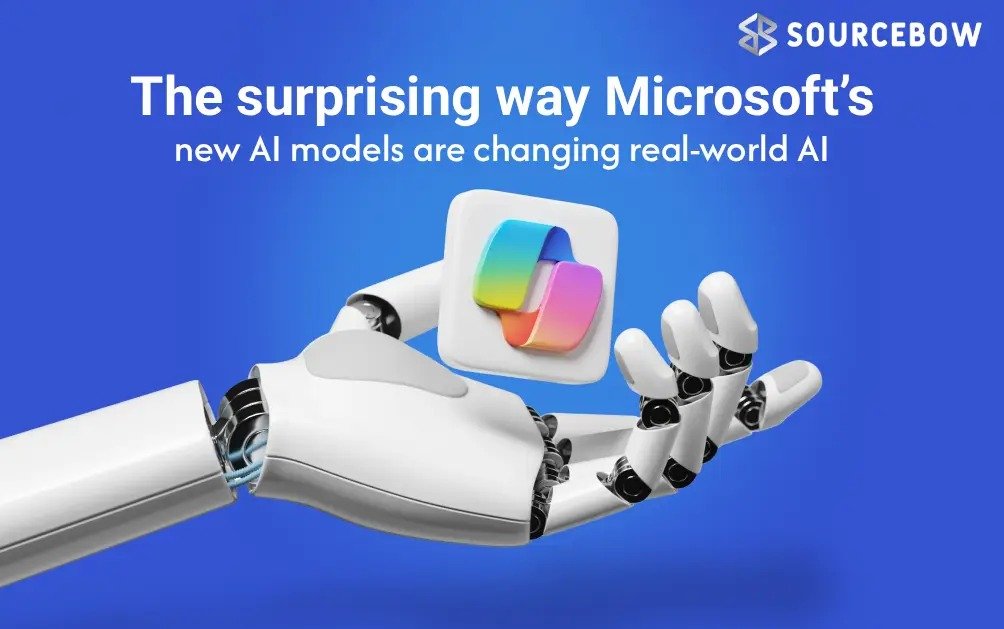
Microsoft AI models bring smarter upgrades than what we’ve seen before, and Microsoft has quietly done something pretty interesting here. Instead of only pushing the usual chatbot-style AI, it’s now leaning harder into the tools people use every day like images, voice, and speech transcription. This shift isn’t just another product update. It feels more like a signal. Microsoft wants its AI stack to work in the messy real world, not just impress during a polished demo.
And honestly, that direction makes sense. Most AI hype still lives in the same place. Flashy conversations, big claims, and not much follow-through when you actually try using it for real work.. Microsoft’s new models suggest it’s trying to move past that. The company has released MAI Transcribe 1, MAI Voice 1, and MAI Image 2, each designed for a specific job. One turns speech into text, one generates natural sounding audio, and one creates images faster and with better quality than before. They’re available now through Microsoft Foundry and the MAI Playground, and they’re also starting to show up in consumer products like Copilot, Bing, and PowerPoint.
Quick highlights
- Microsoft launched three specialized AI models for text, voice, and images.
- MAI Transcribe 1 supports speech to text in 25 languages.
- MAI Voice 1 can generate up to 60 seconds of audio very quickly.
- MAI Image 2 focuses on better quality, faster output, and clearer text.
- All three are rolling into Microsoft’s own tools, not just developer platforms.
Microsoft is betting on useful AI, not just loud AI
Here’s the thing: the AI market is crowded, and most companies are still trying to prove they can do everything. Microsoft seems to be taking a slightly smarter route. Instead of building one giant model that sort of does everything, it’s launching specialized AI models for specific tasks. That matters more than it sounds like it does.
When an AI model is purpose built, it can often be faster, cheaper, and more reliable for that exact job. Think of it like using the right tool in a toolbox. You wouldn’t use a hammer to paint a wall. Same idea here. If you need transcription, you want a model optimized for speech to text. If you need image generation, you want one tuned for visual quality. If you need voice output, you want one that actually sounds human, not like a robotic cousin from 2019.
That’s exactly where Microsoft is pushing with these new releases. The company says the models are not only competitive but also built with fast generation and pricing in mind. And that second part is important. AI is exciting until you see the bill.
MAI Transcribe 1 is the one most people will probably notice first
Among the three, MAI Transcribe 1 feels the most immediately practical. Microsoft says it delivers state of the art speech to text transcription across the 25 most used languages. That’s a pretty big deal if the claims hold up in real usage.
Why? Because transcription is one of those boring AI use cases that quietly saves a huge amount of time. Meeting notes, video captions, podcast transcripts, accessibility tools, voice agents, customer support logs, interviews, lecture notes, you name it. When transcription works well, it disappears into the background and just makes your day easier.
Microsoft says it tested the model on the FLEURS benchmark and claims it outperforms Gemini 3.1 Flash and GPT Transcribe in error rate. That’s a strong claim, and like most benchmark talk, it should be taken with a little caution. Benchmarks are useful, but real life is messy. People mumble, interrupt each other, speak over noise, mix languages, and use accents in ways that no lab test can perfectly recreate. Still, if the model performs close to that level in the wild, it could become a serious option for developers and businesses.
Microsoft also says Foundry users get the best price performance of any large cloud provider. That line is doing a lot of work, but if the pricing truly lands well, it may be one of the biggest reasons teams actually adopt it.
MAI Voice 1 is about sounding less like a machine
Voice generation is another area where small improvements make a big difference. MAI Voice 1 is designed to generate natural realistic speech with nuance, emotional range, and expression. That’s the kind of description every AI company loves to use, but in this case the practical angle is what matters.
The model is built to keep voice identity consistent during long form content generation. That’s crucial because one of the most annoying things in synthetic speech is when it suddenly shifts tone, pace, or personality halfway through a recording. It feels fake instantly. If Microsoft’s model can keep a stable voice over longer content, it could work well for podcasts, narrated explainers, accessibility tools, and conversational assistants.
There’s also a feature inside Foundry that lets users create a custom voice with just a few seconds of audio. That sounds convenient, but it also raises the obvious safety question, which Microsoft says it has addressed with secure handling. That balance is going to matter more and more as voice cloning becomes easier. A good voice model isn’t just about quality anymore. It also has to be responsible.
Microsoft says MAI Voice 1 can generate 60 seconds of audio in one second. If that holds up consistently, it’s fast enough for a lot of real product use cases. Not just demos. Real products.
It’s also worth noting that this model will power Copilot Audio Expressions and Copilot Podcasts. So this isn’t floating out there as a niche developer toy. Microsoft is folding it into tools people may already use without thinking much about it.
MAI Image 2 feels like Microsoft finally wants better creative output
Image generation is where a lot of people first notice AI because the results are visual and immediate. But it’s also where quality issues stand out fast. Weird hands, muddy textures, broken text, odd lighting. You’ve probably seen the usual AI image mistakes. They’re kind of hard to unsee once you notice them.
MAI Image 2 is Microsoft’s second generation image model, and the company says it improves both speed and quality. More specifically, it focuses on natural lighting, accurate textures, and clear in image text. That last part matters a lot. Text inside AI generated images is still one of the easiest ways to spot weaknesses, so any improvement there is useful.
Microsoft says it developed the model in collaboration with photographers, designers, and visual storytellers. That’s a smart move. A model built only by engineers can miss what actual creative users care about. People working in visual content don’t just want something that looks fine at a glance. They want something they can use, edit, and trust.
WPP is one of the first enterprise partners to adopt the model, which gives it a bit of early credibility. And like the other two models, MAI Image 2 is available through Microsoft Foundry and MAI Playground, with rollout also heading into Copilot, Bing, and PowerPoint. That last one is especially telling. PowerPoint is basically a workplace ritual at this point, and AI image tools inside it could become more normal than people expect.
A quick comparison of the three Microsoft AI models
| Model | Main job | Key strength | Where it shows up |
|---|---|---|---|
| MAI Transcribe 1 | Speech to text | Fast transcription across 25 languages | Foundry, MAI Playground, future product rollouts |
| MAI Voice 1 | Voice generation | Natural speech with emotional range | Copilot Audio Expressions, Copilot Podcasts, Foundry |
| MAI Image 2 | Image generation | Better textures, lighting, and speed | Foundry, MAI Playground, Copilot, Bing, PowerPoint |
Why this matters for everyday users and businesses
This isn’t just a developer story. It’s also a Microsoft Copilot story, a workplace productivity story, and honestly a common sense story. Microsoft already has a huge reach through Azure, Office 365, Bing, and Copilot. So when it adds specialized AI models to that ecosystem, the effect is bigger than a standalone launch from a smaller startup.
For businesses, these models could mean faster workflows and less friction. A meeting recording can turn into text more cleanly. A support bot can sound more human. A presentation can get better visuals without needing a designer for every small asset. That kind of thing adds up quickly.
For everyday users, the change may be more subtle. You may not sit down and think, “Wow, I’m using a specialized AI model today.” You’ll probably just notice that captions are better, voice responses sound less stiff, and image generation feels a little less annoying. That’s usually how useful tech works. It blends in.
Microsoft is clearly playing the long game here
There’s also a bigger strategic move happening underneath all this. Microsoft seems to be doubling down on AI models that are not just large language models. That’s important because the AI world has spent so much time obsessing over chat that people sometimes forget how much of computing is still about media creation, communication, and workflow automation.
And Microsoft has the cash, cloud infrastructure, and distribution to keep building these kinds of models. That’s a big advantage. It can afford to invest in the expensive side of generative AI, especially in areas like image and audio where compute costs can be high. Not every company can do that comfortably. In fact, some can barely justify
it at all.
This is where the contrast with the rest of the industry gets interesting. OpenAI recently paused its Sora AI video app to refocus on core work, which shows how demanding generative media can be. Google, meanwhile, is still pushing ahead but is clearly paying attention to cost and energy efficiency. So Microsoft’s move sits in a broader industry pattern: everyone wants the creative AI future, but not everyone wants the same bill that comes with it.
The bigger question is whether specialized models become the real backbone of AI products. If they do, Microsoft may be ahead of the curve in a way that doesn’t look flashy today but ages really well later.
And maybe that’s the real takeaway here. Microsoft isn’t only trying to win the AI race by talking the loudest. It’s trying to build tools people can actually use without thinking too hard about the tech underneath. That’s a much less dramatic strategy, but it might be the smarter one.
So if you’ve been watching AI mostly through the lens of chatbots, this release is a good reminder that the next big shift may not be a single model that does everything. It may be a set of better, smaller, more focused tools quietly slipping into the apps you already open every day. And that’s a more interesting future than the hype cycle gives it credit for.
Would you rather have one giant AI that does a bit of everything, or a few specialized models that do their jobs really well? That’s the question Microsoft seems to be betting on.