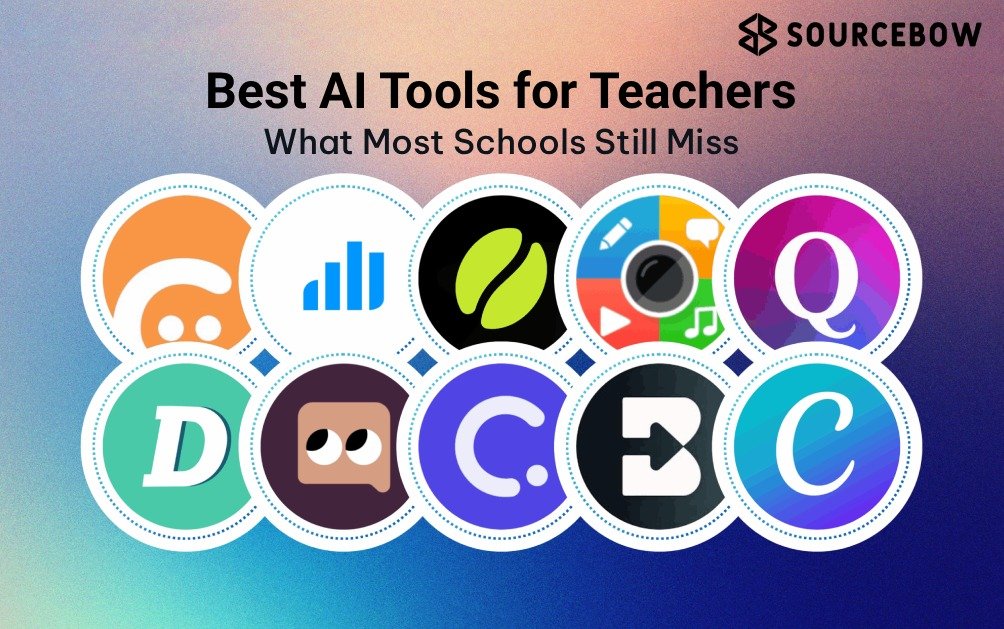
Teachers don’t really need another shiny app. They need something that helps with planning, notes, and assessments without turning the night before class into a second job. And that’s exactly why the conversation around Best AI tools for teachers has changed so much in the last year or two.
The biggest shift is this: educators are moving away from generic chatbots and toward classroom-focused systems that understand curriculum structure, differentiated instruction, and assessment quality. In a lot of schools, teachers are already using AI to finish routine tasks in minutes instead of hours. That doesn’t mean the work disappears. It means the boring parts shrink, so the teaching part can breathe a little.
Quick highlights
In 2026 classroom AI adoption trends, the interesting part isn’t just that teachers are using more tools. It’s that the best results are coming from AI tools for classroom teaching that are built around real school workflows. Think lesson pacing, rubric generation, study guides, grading support, and curriculum alignment — not random internet answers pasted into a worksheet.
EdTech reports keep pointing in the same direction: teachers are under serious time pressure, and planning, prep, and grading still eat a huge chunk of the week. That’s why the best systems now feel less like content generators and more like teaching assistants. They’re not replacing judgment. They’re making room for it.
What Are the Best AI Tools for Teachers in 2026?
At a simple level, education-focused AI tools are platforms that help teachers plan lessons, generate notes, create quizzes, and handle grading faster. But that definition undersells them a bit. The real value is that they’re built for classroom logic. A generic chatbot can write a paragraph. An education platform can turn a unit into a sequence of lessons, support personalized learning, and help with differentiated instruction.
That difference matters more than people think. A public chatbot may sound polished, but classroom work needs structure. It needs curriculum alignment, age-appropriate language, standards awareness, and assessment formats that match how students actually learn. That’s why many educators are now treating these systems as AI copilots for educators rather than simple content tools.
Here’s a quick way to think about the categories:
- Planning tools help break a syllabus into weekly or unit-level goals.
- Notes tools turn lessons, slides, or readings into study guides and summaries.
- Assessment tools create quizzes, prompts, and exit tickets.
- Grading tools speed up rubric-based evaluation and feedback.
And honestly, the best systems don’t just save time. They reduce the mental drag of switching between ten tiny tasks. That’s why they’re becoming part of classroom productivity instead of being treated like a novelty.
One more thing worth saying: generic chatbot outputs often fail classroom-specific needs because they aren’t grounded in teacher-owned data. They may be helpful for brainstorming, but not for full semester planning or a standards-based assessment strategy. That’s the line where specialist tools start to make much more sense.
How Can AI Lesson Planning Tools Improve Syllabus Management?
This is where the practical magic starts. If you’ve ever looked at a syllabus and thought, “How am I going to fit all of this in without rushing the last month?” you already understand the appeal of AI lesson planning tools.
Instead of starting from a blank page, these systems can take a unit topic and turn it into a weekly structure. They help teachers divide content into manageable chunks, map learning goals, and keep the whole semester from collapsing into a last-minute scramble. That’s especially useful for competency-based curriculum automation, where pacing and mastery matter a lot.
Here’s the workflow that usually makes the most sense:
- Upload or enter your syllabus goals.
- Ask the tool to break topics into weekly teaching plans.
- Align each week with standards or learning outcomes.
- Flag revision weeks, projects, and assessment checkpoints.
- Adjust based on the actual classroom pace instead of the ideal one.
Tools like MagicSchool and Eduaide.ai are popular here because they’re designed around school tasks, not generic writing prompts. A standards unpacker or unit-plan generator can save a huge amount of back-and-forth. Instead of manually building every outline, teachers get a starting structure they can refine.
That last part matters. Manual semester planning often starts with good intentions and ends with a messy spreadsheet, three half-finished documents, and a growing sense of panic. AI-generated pacing won’t magically fix every curriculum challenge, but it can prevent the end-of-term rush that so many teachers dread.
There’s also a quality angle here. A well-built planning assistant can keep the flow of a unit more consistent, which supports better learning outcomes. Students usually do better when content builds in a logical order rather than arriving in random bursts.
Which AI Note Generation Tools Work Best With Classroom Materials?
Now, this is one of the most useful shifts in education AI: the rise of the AI note generator for teachers that works from your own material instead of the open web. That means your slides, PDFs, readings, transcripts, and handouts can become study guides, summaries, or revision sheets without losing classroom context.
Two tools stand out here: NotebookLM and Diffit. Both are helpful in different ways, but the common thread is that they work better when you feed them teacher-owned content. That helps with privacy, and it also makes the output feel more syllabus-aligned rather than generic.
For example, a teacher can upload a chapter PDF, a lecture slide deck, or even a set of research notes and ask for:
- a simplified summary for students who need extra support
- a study guide with key terms and definitions
- discussion prompts tied to the lesson
- an audio summary for multimodal learning
- a version adapted for different reading levels
That’s where personalized learning becomes real instead of just sounding good in a brochure. If students are working at different levels, a single static note sheet doesn’t help much. But adaptive study guides can make a real difference, especially in mixed-ability classrooms.
There’s also a quiet privacy win here. Because these tools can use uploaded classroom material rather than public internet content, teachers have more control over what gets processed. That doesn’t remove the need to check each platform’s data policy, of course, but it does shift the workflow in a better direction.
And yes, the engagement piece matters. When content feels closer to what students actually saw in class, they tend to use it more. That’s not just convenience. It’s retention.
How Do AI Quiz Generators Create Better Assessments?
Speed is nice. But with assessments, speed is not the main story. The real question is whether the tool helps you build better questions. That’s why the strongest AI quiz generator platforms are the ones that support deeper thinking, not just multiple choice overload.
Tools like Quizizz AI, Curipod, and Gradescope are useful because they can support multiple question formats, instant feedback, and even grading workflows tied to rubrics. Some can
generate MCQs, open-ended questions, and short-response prompts. Others help structure grading in a way that’s more consistent and fair.
What makes this interesting is that the better systems can assess more than memorization. They can help evaluate:
- comprehension
- application
- analysis
That’s a big deal. A quiz that only checks recall is useful, but a quiz that checks how students use knowledge is much stronger. Formative assessment research keeps pointing out that regular feedback helps learning more than one big high-stakes test at the end. AI can support that by making it easier to create quick check-ins, low-pressure practice, and adaptive testing.
One thing to watch, though, is quality. Not every automated quiz is good just because it was made fast. The best assessments are still the ones where a teacher reviews wording, checks fairness, and makes sure the questions match the actual learning goals. So the tool should support judgment, not shortcut it.
In 2026, more platforms are also adding AI-generated rubrics, which is helpful for consistency. If the rubric is clear and tied to skills, grading gets a lot less fuzzy. That helps both teachers and students.
Which AI Education Platform Is Best for Different Teaching Needs?
Different educators need different things, which sounds obvious, but a lot of tool lists skip it. A college faculty member, a K-12 teacher, a tutor, and an instructional designer don’t work the same way. So the right choice depends on the workflow, not just the feature list.
| Tool | Best For | Key Feature | Pricing Model | Ideal User |
|---|---|---|---|---|
| MagicSchool | Planning and teaching prep | Lesson, rubric, and curriculum helpers | Free plan with paid tiers | K-12 teachers |
| Eduaide.ai | Lesson structure and differentiation | Standards-aware planning support | Freemium | Teachers and coordinators |
| NotebookLM | Notes and study materials | Works from uploaded documents | Free with account access | Faculty and tutors |
| Quizizz AI | Interactive quizzes | Fast quiz creation with feedback | Free and paid plans | Classroom teachers |
| Gradescope | Grading and rubric support | Automated grading workflows | Institutional licensing | University faculty |
In practice, this kind of comparison helps because it mirrors how people actually work. A tutor may care most about note generation and practice questions. A university instructor may care more about automated grading and rubric consistency. An instructional designer may want ecosystem integration so content can move cleanly into an LMS.
Institution-wide AI adoption is also becoming more common, which means some schools are not buying just one tool. They’re building a small stack of education AI platforms that work together. That’s the newer trend: less “one magical app,” more connected workflow.
What Should Teachers Look for Before Choosing an AI Tool?
Here’s the part that gets skipped too often. A tool can look impressive and still be wrong for your school. Before choosing anything, teachers should check a few practical things.
- Data privacy: Can you safely upload classroom material? Does the platform explain how it handles files?
- LMS integration: Does it connect smoothly with your existing workflow?
- Rubric support: Can it help with rubric generation and fairer grading?
- Curriculum alignment: Does it support your standards and learning outcomes?
- Ease of use: Can a busy teacher actually use it during the week?
- Cost vs value: Is the time saved worth the subscription?
The privacy piece is especially important. Schools handling student data need to think about FERPA and GDPR-style compliance standards, plus whatever internal AI governance policies are emerging for 2026. That may sound formal, but it’s really just about being careful with learner information.
And beyond compliance, think in terms of teaching quality metrics. Does the tool help you make better lessons? Better notes? Better assessments? If it only adds feature overload, it’s probably not the right fit. A clean workflow almost always beats a crowded dashboard.
That’s also why teacher-owned data matters so much. The more a tool can work from your syllabus, your slides, your readings, and your classroom context, the more useful it becomes. Generic internet data can be fine for general drafting, but classroom planning asks for something more specific.
Best AI Tools for Teachers Compared
Below is a simple comparison of the most useful options in this space. Think of it less as a winner list and more as a “best fit” map.
| Tool | Planning | Notes | Quizzes | Grading | Best For | Free Plan |
|---|---|---|---|---|---|---|
| MagicSchool | Strong | Moderate | Good | Good | K-12 lesson prep | Yes |
| Eduaide.ai | Strong | Moderate | Good | Limited | Standards-based planning | Freemium |
| NotebookLM | Light | Excellent | Limited | No | Teacher-owned notes and study guides | Yes |
| Quizizz AI | Light | Moderate | Excellent | Limited | Interactive quizzes | Yes |
| Gradescope | Limited | No | No | Excellent | University grading workflows | Institution-based |
If you’re a school teacher, MagicSchool or Eduaide.ai may feel like the most immediate fit. If you need a strong AI note generator for teachers, NotebookLM is a very clean option. If your main pain point is assessment creation, Quizizz AI is the obvious place to look. And if grading is where the hours disappear, Gradescope
can be a real relief.
The best choice is usually the one that solves the annoying thing you repeat every week, not the one with the longest feature list.
Frequently Asked Questions About AI Tools for Teachers
What are the best AI tools for teachers? AI tools for teachers are platforms designed to help with lesson planning, note creation, quizzes, grading, and classroom management. Popular examples include MagicSchool, NotebookLM, and Quizizz AI.
Can AI create lesson plans automatically?
Yes. Education-focused AI platforms can generate syllabus breakdowns, weekly lesson structures, and standards-aligned teaching plans based on curriculum goals.
Are AI-generated quizzes accurate for classrooms?
Most modern AI quiz generators support multiple question types and can align assessments with comprehension, analysis, and application learning levels.
Is it safe to upload classroom material into AI tools?
Safety depends on the platform’s privacy policy and data handling standards. Teachers should prioritize tools with secure document processing and education compliance policies.
Which AI tool is best for grading assignments?
Platforms like Gradescope help automate grading workflows using custom rubrics for both objective and subjective answers.
Can AI replace teachers in classrooms?
No. AI tools support planning, assessment, and administrative work, but human instruction, mentorship, and classroom engagement remain essential.
If you look at the bigger picture, the real win here isn’t just faster prep. It’s better use of teacher energy. Education-specific systems handle the repetitive work, while the teacher stays focused on guidance, interpretation, and connection. That’s a much better trade.
So if you’re comparing options, start with your actual workflow. Do you need lesson planning help, notes from uploaded material, faster quizzes, or better grading support? Once you answer that, the right tool usually becomes obvious. And if you’re still unsure, a simple checklist is often enough to narrow it down quickly.
In short: education-focused AI tools solve classroom-specific problems better than generic chatbots, and the best ones improve both productivity and learning outcomes. The smartest move is to choose a platform that fits your syllabus, respects privacy, and supports the kind of teaching you actually do.
Want to keep exploring? You might also look at How AI Is Changing Classroom Assessments, Best Productivity Tools for Educators, and AI in Education Trends 2026. Or, if you’re just starting out, download a simple AI tools checklist and test one workflow this week. Sometimes that’s all
it takes to see whether the fit is real.
After all, if a tool can give you back even a few hours, isn’t it worth finding the one that actually works for your classroom?