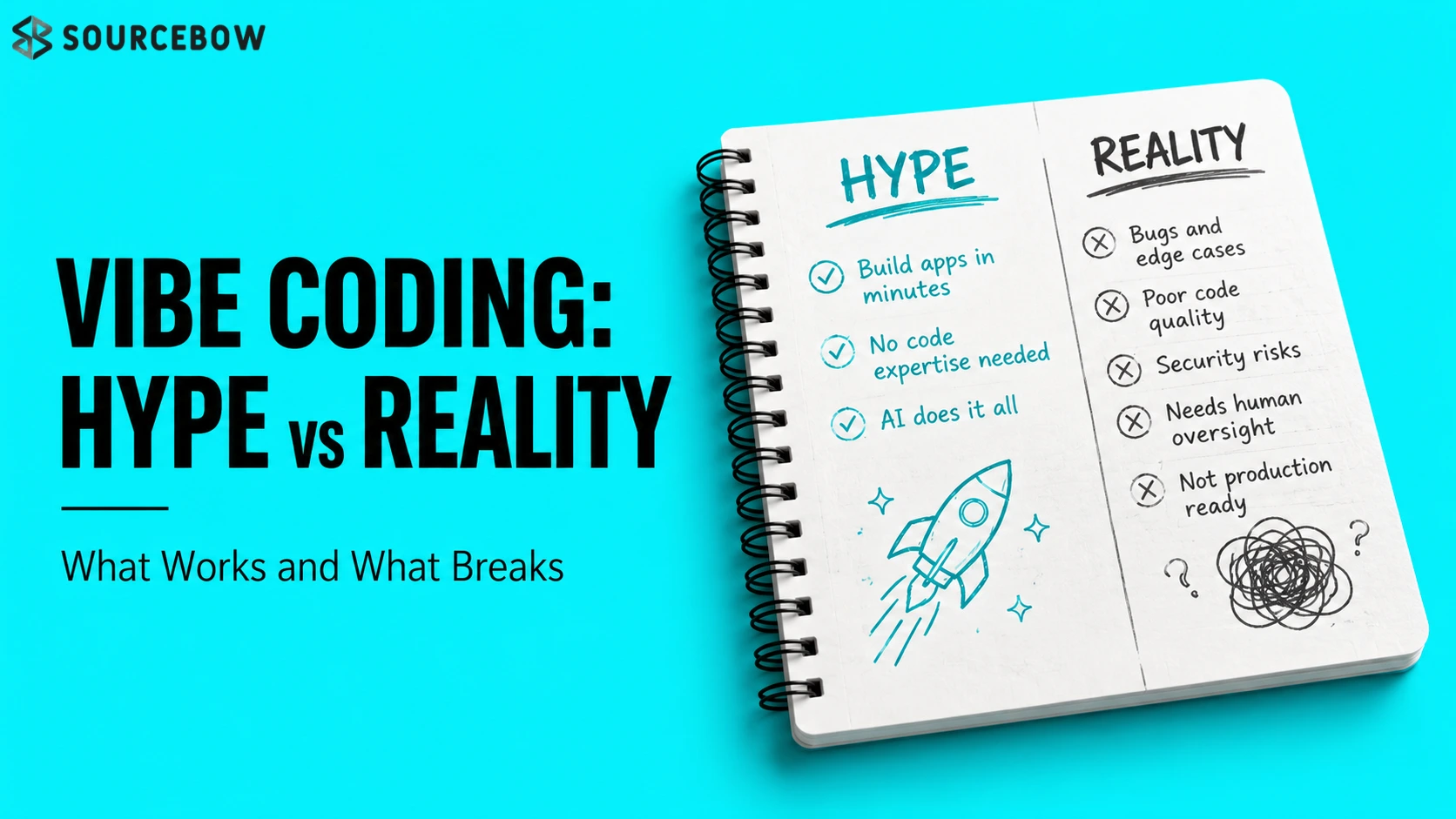
Vibe coding with AI tools looks fast, seductive, and a little reckless. That’s the whole appeal, honestly. You can move quickly, skip a lot of the usual friction, and feel like you’re building software at a pace that would’ve seemed impossible a few years ago. But the real question isn’t whether it’s fast. It’s where that speed actually helps before it starts costing you control.
Quick Highlights
- AI can speed up early building, not replace judgment.
- Prompting changes how you work, not whether code still matters.
- Small experiments benefit most from vibe coding.
- Complex systems still need fundamentals and review.
Introduction
See how vibe coding with AI tools changes software building, where it helps, where it breaks, and why developers still need fundamentals. That’s really the heart of it. The appeal is obvious: build faster, argue less with syntax, and let the machine carry more of the load. If you’ve ever spent too long wrestling with a tiny bug or a stubborn framework detail, you can probably feel the attraction immediately.
But there’s a tension underneath that speed. When the process shifts from constructing software to directing it, you’re not just saving time anymore. You’re changing the relationship between the developer and the code. And that shift is where things get interesting, because it can feel empowering right up until the moment it doesn’t.
What changes when you stop writing every line yourself?
Traditional coding vs AI isn’t really about taste. It’s about who holds the shape of the work. In one mode, the developer carries precision end to end. In the other, intention comes first and the code appears behind it. That sounds small on paper, but in practice it changes how you think, plan, and debug.
The interesting part is that the code doesn’t vanish at all. It just moves out of sight. So instead of reading every line as you write it, you’re trusting a system to assemble something that matches your intent. That makes the shift feel cleaner than it really is, which is probably why people keep arguing about it. The friction is still there. It’s just hidden a little better now.
From syntax to intent
Prompt based app building replaces line-by-line control with outcome-driven direction. You describe the thing, the mood, the behavior, and the system tries to fill in the structure. For a lot of people, that feels like a huge relief. You don’t have to remember every exact method name or worry quite as much about typing the perfect boilerplate.
But here’s the thing: intent is slippery. You might think you were clear, and the model might still take the idea in a slightly different direction. That’s fine when you’re exploring. It’s less fine when you need the result to be specific, stable, and maintainable. The gap between what you meant and what came out is where a lot of the real work still lives.
What AI is doing underneath
AI generated code review still matters because the output is real code, not a magical shortcut around architecture. Files, logic, and components are still being written somewhere. They just arrive through a different path. That matters more than people first realize, because the generated result still has structure, dependencies, and failure points.
So even if the front end of the process feels abstract, the backend reality is very concrete. You’re still dealing with real components, real files, and real logic. If something breaks, it doesn’t matter that the code came from a prompt. It still has to be understood, tested, and maintained like anything else.
That’s why vibe coding can feel almost magical at first and then suddenly ordinary again. Once the novelty wears off, you’re left with the same old responsibility: make sure the software actually works. The tool may have changed, but the consequences haven’t gone anywhere.
Why everyone is suddenly talking about it
Cursor AI for coding and similar tools sit in the middle of a bigger shift. Beginners see a shortcut. Developers see pressure. Everyone else sees a future that may arrive unevenly. And honestly, all three reactions make sense. The beginner sees a way to get moving without memorizing everything. The experienced developer sees a new workflow that can either help or complicate things. The wider industry sees the possibility of faster output, fewer bottlenecks, and maybe even smaller teams doing more.
The noise comes from three directions at once: promise, threat, and hype. That mix makes it hard to tell whether this is a genuine workflow change or just the latest wave of optimism. Usually it’s both. New tools always get oversold a little, but that doesn’t mean they’re meaningless. It just means you have to look at the actual use cases instead of the headlines.
What makes this moment feel different is that the tools aren’t only helping experts. They’re also lowering the entry barrier for people who would’ve struggled to start before. That’s exciting, but it also changes expectations. Once something looks easy, people assume it should be easy everywhere. And that’s where the story gets messy.
Where it actually feels useful, and where it gets slippery
AI prototyping for developers makes the most sense when the goal is speed over permanence. Small experiments, internal tools, and quick variants benefit because the cost of being wrong is low. In other words, the stakes are manageable. You can try something, learn from it, toss it out, or keep iterating without sinking too much time into the wrong path.
It starts to feel much less convincing when the work demands architecture, reliability, or long-term trust. That’s where the shortcut stops looking like leverage and starts looking like drift. If you’re building something that other people depend on, the question isn’t just “Can we make this faster?” It’s also “Can we keep this understandable six months from now?” That’s a very different challenge.
Quick wins that are hard to ignore
Build MVPs with AI is strongest when the target is a first version, not the final one. A dashboard, a proof of concept, or a rough UI direction can come together fast enough to change what a team decides to pursue. That alone is a big deal. Sometimes the point of an early build isn’t polish. It’s clarity. If the idea is weak, you want to find out quickly. If the idea is promising, you want to move before momentum disappears.
That’s why vibe coding feels especially useful in situations where speed changes the conversation. A decent-looking demo can help you get feedback sooner. It can help a solo builder test an idea without waiting for a full engineering cycle. It can also prevent teams from overcommitting to concepts that only sounded good in meetings.
- small projects
- quick prototypes
- internal tools
- layout variations
- solo-building and experimentation
Those are the places where AI often feels like a real advantage instead of a gimmick. You’re not trying to preserve perfection. You’re trying to learn faster. And in the early stages of a project, that’s often the smarter trade.
The point where the promise thins out
Debugging code with AI can help, but only inside a developer’s understanding of the system. Without fundamentals, the process becomes blind steering instead of informed control. That’s the part people sometimes want to skip, because the whole point of AI seems to be reducing the amount of manual effort. But effort isn’t the same thing as expertise. You can reduce the labor without reducing the need to know what’s happening.
That’s the real divide: not whether AI can produce output, but whether the person using it can still tell when the output is wrong. If you can read the shape of a system, you can use AI as a multiplier. If you can’t, you may still get something that looks functional for a while, but you won’t know why it works or where it might fail later. And in software, that’s a risky place to be.
One simple way to think about it is this: AI is very good at filling in. It’s not automatically good at deciding. The decision-making part still belongs to the person with context, priorities, and technical judgment. That’s why the same tool can feel empowering in one hand and dangerous in another.
| Feels strong for | Breaks down when | Why it matters |
|---|---|---|
| small prototypes | complex systems | speed beats perfection |
| internal tools | strict security needs | iteration is cheap |
| UI experiments | long-term architecture | control still matters |
If you’ve ever watched a prototype turn into production too quickly, you already know the danger. The faster a thing ships, the easier it is to pretend it’s finished when it’s really just early.
What this means for developers who want to keep up
AI assisted software development doesn’t erase the need for skill; it changes which skills matter most. The developer becomes less of a line-by-line builder and more of a judge, editor, and guardrail. That’s a real shift, and it’s not a bad one. In some ways, it’s closer to how experienced developers already think. They’re not just typing code. They’re constantly checking assumptions, catching edge cases, and deciding what should happen next.
That shift rewards people who can combine speed with judgment. It punishes people who treat the tool like a replacement instead of an amplifier. So if you’re trying to keep up, the best move isn’t to worship the tool or fear it. It’s to learn how to work with it without giving away your responsibility.
In practice, that means staying comfortable with fundamentals even when AI is doing a lot of the drafting. You still need to understand structure, debugging, and tradeoffs. You still need to recognize when something is fragile. And you still need to know when the quick answer is actually the wrong one. That last part matters a lot more than people admit.
There’s also a mindset shift here. Instead of asking, “Can I hand this off completely?” a better question is, “What part of this should I keep close?” That’s a healthier way to use the tool. It keeps you in the loop without slowing you down too much.
FAQ
These are the smaller doubts that tend to surface once the novelty wears off and people start asking what survives after the hype.
Q: Is vibe coding just another name for using AI to write code?
Not exactly. It’s more about letting intent lead the workflow, while the AI turns that intent into code behind the scenes. So the emphasis changes. You’re not typing every detail first and thinking second. You’re guiding the result and checking whether the generated code actually matches what you had in mind.
Q: Can Cursor AI for coding replace a developer?
No. It can speed up drafting, prototyping, and cleanup, but the person using it still has to understand architecture, bugs, and tradeoffs. That’s the part that doesn’t go away. The tool can help you move faster, but it can’t reliably replace judgment, especially when the project gets messy.
Q: Is prompt based app building safe for serious products?
Only in limited ways. It’s useful for early versions and experiments, but serious systems still need oversight, review, and discipline. If the product touches real users, real data, or real security concerns, you don’t want to treat prompts like a complete substitute for engineering care.
Q: Do fundamentals still matter if AI is doing most of the work?
Yes, probably more than before. The less visible the code becomes, the more important it is to know when the system is lying to you. Fundamentals help you spot bad output, ask better questions, and avoid building something that only looks correct on the surface.
Conclusion
Vibe coding with AI tools is not replacing developers; it is changing the way developers work, decide, and stay in control. That’s the real story, not the dramatic version and not the dismissive one either. It’s a workflow shift, and like most workflow shifts, it rewards the people who adapt thoughtfully.
The people who keep learning will use AI as leverage. The people who stop understanding the basics will end up depending on luck instead of skill. And in software, luck is a pretty fragile strategy. So yes, the hype has a point. But the reality has one too, and it’s probably the more important one.