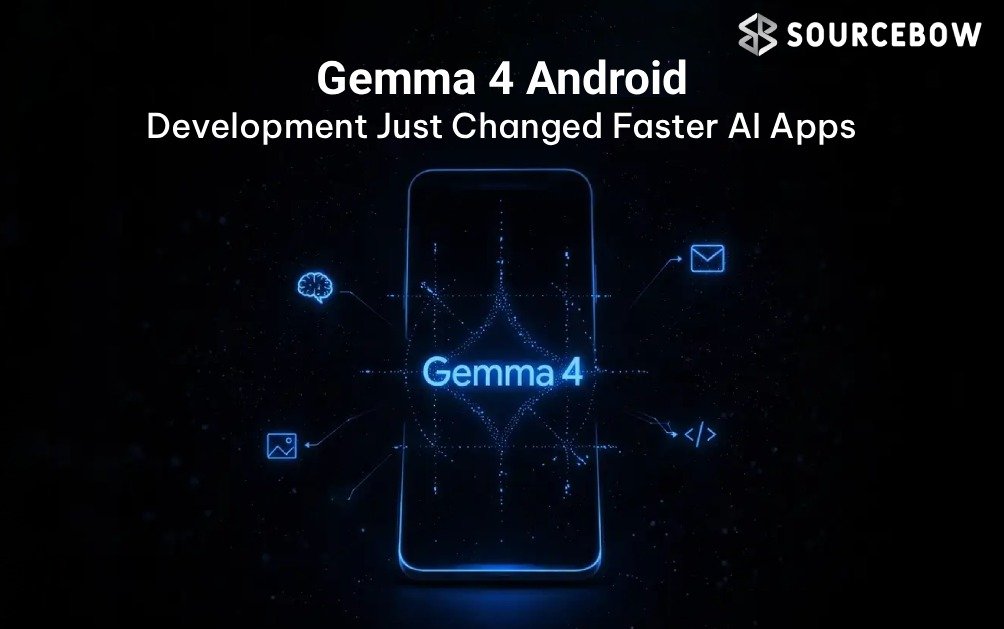
If Android development has felt a little too dependent on cloud calls lately, Google’s latest move around **Gemma 4 Android Development** is worth paying attention to. Gemma 4 is arriving across Android Studio, ML Kit, and Gemini Nano infrastructure, and that combination points to something bigger than a smarter coding helper. It’s a shift toward local-first AI workflows, where inference stays on the device or your machine instead of bouncing back and forth to a server.
That matters more than it sounds. Google says Gemini Nano foundations already reach over 140 million Android devices, which means this isn’t some tiny experimental layer. It’s becoming part of Android’s real AI stack. And once you look past the headlines, the interesting story around **Gemma 4 Android Development** is not just “AI can write code.” It’s that Android is starting to look like an AI-native platform with agentic workflows, offline intelligence, and privacy-first deployment options baked in.
Quick Highlights
- Gemma 4 adds reasoning and tool-calling
- Android Studio gets local AI coding support
- Inference stays on local machines
- Gemini Nano 4 is built on Gemma 4
- ML Kit now opens the door to on-device AI features
What Gemma 4 really changes for Android developers
Gemma 4 is Google’s open model push into a more capable class of AI. The big deal isn’t just that it can generate text or answer questions. It can reason, call tools, and take more autonomous actions inside a workflow. In plain English, that means it can do more than suggest a line of code. It can help move a task forward.
That’s where the phrase agentic AI starts to matter. Instead of acting like a passive assistant waiting for prompts, the model can participate in a chain of steps. For Android development, that could mean generating a feature, helping refactor old code, checking for issues, and iterating on fixes without making you restart the whole process each time. That’s a pretty different experience from the usual chat window model.
In the broader developer tools market, this is also part of a bigger trend. AI agents are moving from novelty to workflow infrastructure. Developers don’t just want answers anymore. They want systems that can understand context, work across steps, and reduce repetitive effort. Gemma 4 fits that direction nicely, especially because it’s being
pushed into Android rather than kept as a separate experiment.
How Android Studio is becoming a local AI workspace
The most practical part of this update is probably the Android Studio connection. Google is integrating local AI coding support directly into the development experience, which means you can use Gemma 4 inside the tools you already rely on. That includes refactoring, app building, iterative bug fixes, and feature generation.
Here’s why that’s interesting: AI coding assistant Android setups often depend on cloud calls, which can be fine for casual coding help but get awkward fast in enterprise environments or on slower connections. Local inference changes the rhythm. You’re not waiting on a remote service for every small interaction, and your code doesn’t need to leave the machine just to get help.
That makes the workflow feel less like “ask a chatbot” and more like “work alongside a coding system.” If you’ve ever tried to clean up a large legacy Android codebase, you already know how valuable that can be. A model that can stay local while helping with repetitive refactors and feature scaffolding is not a tiny upgrade. It can actually change the pace of development.
Google’s move also speaks to a wider shift in Android AI development tools. The platform is no longer just borrowing cloud intelligence when needed. It’s building the expectation that some AI tasks should happen right where the work is happening. That’s a subtle but important difference.
Why on-device intelligence matters more than the buzz suggests
People often talk about on-device AI Android features as if they’re mainly about privacy. And yes, privacy matters a lot. But the story is bigger than that.
When AI runs locally, latency drops because the request doesn’t need to travel to a remote server and back. That means faster responses, smoother iteration, and fewer interruptions. It also means offline AI models can still be useful in situations where internet access is limited or unreliable. For mobile developers, that’s a big deal. For enterprise teams, it can be even bigger.
Privacy is where the infrastructure angle becomes obvious. If sensitive code, user data, or internal app logic can stay on-device, you reduce compliance headaches and shrink exposure. You also reduce recurring API costs, which have become harder to ignore as AI usage grows. In other words, local AI models Android teams adopt now may pay off in both risk reduction and long-term economics.
This is why the local-first AI stack is starting to look less like a niche and more like a strategy. It gives teams control over performance, data handling, and deployment. That’s the kind of thing enterprise app teams care about deeply, even if the marketing around AI still tends to focus on flashy demos.
Gemini Nano 4 shows where Google is heading next
Google isn’t stopping at the model layer. It’s also pushing forward the infrastructure that runs these experiences. Gemini Nano 4 is based on Gemma 4, and Google claims it is up to 4x faster while using up to 60% less battery. If that holds up in real use, it matters a lot for mobile AI adoption.
Battery efficiency has always been one of the biggest barriers for edge intelligence. A powerful model is great until it drains devices too quickly or slows everything down. So when Google talks about improved speed and reduced battery consumption, that’s not just a technical footnote. It’s a signal that on-device AI is maturing enough to be used more broadly in real products.
The company also says more than 140 million Android devices already support the Gemini Nano foundations. That scale matters. It means Google isn’t building an isolated feature for a handful of flagship phones. It’s strengthening a foundation that can reach a huge part of the ecosystem.
On top of that, the AICore Developer Preview gives developers a way to prototype sooner, while the ML Kit GenAI Prompt API brings Gemma 4 into the app-building conversation. Taken together, this looks less like a model drop and more like platform plumbing being laid down for the next phase of Android app prototyping.
Should you build with local AI now or wait?
Short answer: if your app can benefit from privacy, offline support, lower latency, or reduced cloud spend, it’s probably worth starting now.
Not every product needs AI on the device. But some use cases are obvious fits:
- Health, finance, and enterprise apps with sensitive data
- Tools that need offline AI experiences
- Developer productivity apps
- Personalization features that shouldn’t rely on the cloud
- Apps with heavy repeated inference where API costs can add up
The open licensing angle helps too. Gemma is available under an Apache open license, which lowers the barrier for teams that want to experiment without getting stuck in a restrictive vendor setup. That matters because model choice is becoming part of product strategy, not just engineering preference.
There is a trade-off, of course. Local models are still limited by device hardware, memory, and thermal constraints. Cloud AI can scale more easily across heavy workloads. So this isn’t about replacing every server call. It’s about being more intentional about which AI tasks should live where.
As AI API costs keep rising in 2026, that decision gets more important. A local-first approach can dramatically reduce long-term inference costs for the right kind of app. And for teams working in privacy-sensitive environments, that may be the biggest reason to move.
Gemma 4 vs Traditional Cloud AI for Android Apps
| Feature | Gemma 4 Local AI | Traditional Cloud AI |
|---|---|---|
| Privacy | High | Depends on provider |
| Latency | Lower | Network dependent |
| Cost | Lower long-term | API-based recurring costs |
| Offline Access | Yes | Limited |
| Battery Impact | Optimized | Variable |
| Scalability | Device dependent | Cloud scalable |
This is the part many articles skip: local AI is not just a technical alternative. It can be a better business model for specific apps. If your product repeats the same inference tasks again and again, cloud costs can quietly become a tax on growth. Local inference changes that equation.
And from an Android AI ecosystem point of view, Google is clearly signaling that device capability should matter more. The platform is moving toward a world where AI isn’t a distant service bolted on top. It’s becoming part of the device experience itself.
Frequently asked questions about Gemma 4 and Android AI
What is Gemma 4 in Android development?
Gemma 4 is an open AI model from Google designed for reasoning, tool-calling, and local AI workflows. It supports Android Studio coding assistance and on-device AI features through ML Kit APIs.
How does Gemma 4 work inside Android Studio?
Gemma 4 runs locally on development machines and helps developers with refactoring, debugging, feature creation, and iterative coding workflows without requiring cloud
inference for every request.
What is agentic AI in Android apps?
Agentic AI refers to systems capable of reasoning, tool usage, and autonomous task execution. In Android development, this can include code generation, workflow automation, and intelligent app behavior.
Why is on-device AI important for Android?
On-device AI reduces latency, improves privacy, lowers cloud costs, and enables offline functionality. It also gives developers more control over performance and data handling.
What is the ML Kit GenAI Prompt API?
The ML Kit GenAI Prompt API allows developers to integrate local AI experiences into Android apps using supported AI models like Gemma 4 through Android hardware acceleration.
Is Gemma 4 open source?
Gemma 4 is available under an Apache open license, allowing developers and enterprises to experiment, customize, and deploy AI workflows with fewer licensing restrictions.
The bigger picture for Android in 2026
If you zoom out a bit, Google’s move makes a lot of sense. Android is no longer just a mobile operating system. It’s slowly turning into an intelligence system, one where on-device reasoning, edge AI computing, and Android-native AI tooling matter as much as app design or performance tuning.
That shift fits the broader direction of the market too. Analysts like Gartner and IDC have consistently pointed toward accelerating enterprise adoption of edge AI and local processing, especially where latency, privacy, and cost are tied directly to product value. In 2026, that trend is only getting louder.
So the real story here isn’t “Google launched another model.” It’s that Google is tightening the loop between model, device, and developer workflow. That’s a platform strategy. It affects how apps are built, where intelligence lives, and how much control developers have over the whole stack.
If you work in Android app development, that should probably get your attention. Whether you’re building for consumers, enterprises, or internal tools, the next wave of AI features may not begin in the cloud at all. It may start on the device, inside your editor, and in the workflows you use every day.
Gemma 4 Android development is really about that shift: less dependency, more control, and a more practical kind of AI. The question now isn’t whether local intelligence will matter. It’s how quickly you’ll start designing for it.
If this space matters to you, it’s probably worth keeping an eye on AICore Developer Preview, ML Kit GenAI Prompt API, and the next round of Android Studio updates. The direction is pretty clear, even if the ecosystem is still settling into place.