Introduction
AI debugging its own code is one of those ideas that sounds a little futuristic until you see it happen in a real dev workflow. Then it feels less like magic and more like a very fast assistant that can catch the obvious stuff before you even finish your coffee. In 2026, that matters a lot, because the pace of software work keeps speeding up while teams are still expected to ship clean, stable code.
The strongest reason this topic gets attention is simple: AI now fixes many syntax, test, and runtime issues, and it does so fast enough to change day-to-day development. The phrase AI self-debugging code agents sounds bigger than it is, which is exactly why the gap between promise and reality matters.
Quick Highlights
- AI handles repetitive bugs very quickly.
- It still struggles with product intent.
- Tests help, but they don’t prove everything.
- Humans stay important for judgment calls.
The article tracks where AI can genuinely clean up its own mistakes in 2026, and where the work stops being mechanical and starts requiring someone who understands the product. That line is the whole story, really. Once you see it clearly, the hype gets easier to sort from the useful stuff.
What AI actually means when it “debugs itself”
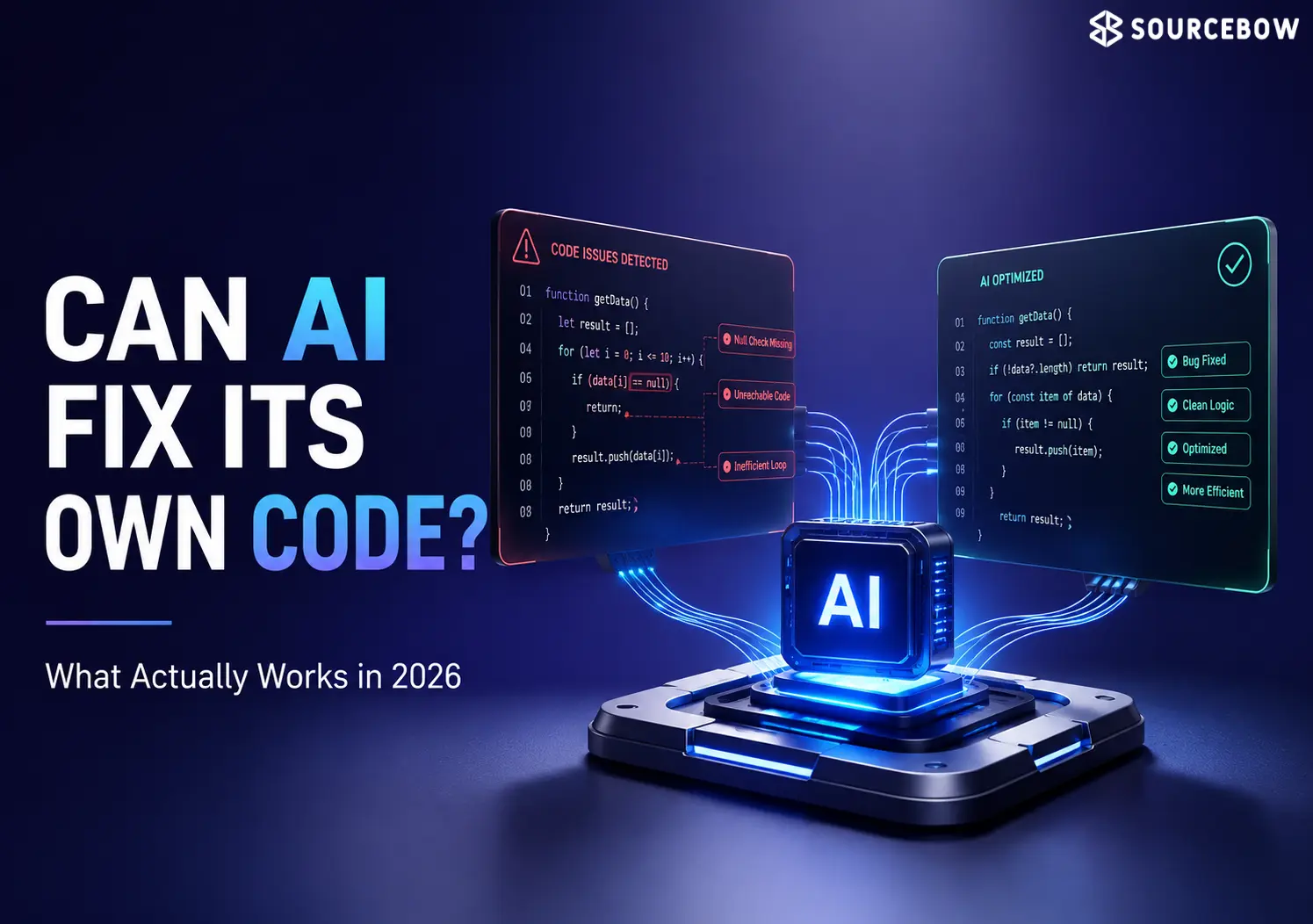
Self-debugging is not one magical pass; it is a loop where the system notices a failure, inspects the evidence, changes the code, and tries again. The useful part is the iteration: write, execute tests, observe failures, modify, retest, repeat until tests pass or confidence drops.
This is where iterative code repair workflow fits naturally, along with stack traces, logs, and failed tests. The section also makes clear that modern agents do not just generate code once and hope for the best. They keep checking their work, and that simple difference is what makes them practical instead of gimmicky.
The loop modern coding agents follow
Generate an initial implementation, run automated tests, analyze failures, identify likely causes, generate revised code, then repeat until confidence reaches a predefined threshold. That is the basic mechanism behind AI debugging in 2026, not a one-shot fix. If you’ve ever watched a developer chase a bug by reading the error, changing one thing, and rerunning the test over and over, you already understand the basic pattern.
The only real twist is speed. AI can do that cycle much faster, and it does not get tired halfway through. But speed doesn’t automatically equal understanding, and that’s where the limits start showing up.
Where AI debugging works well enough to trust for routine issues
AI is strongest when the problem is narrow, repetitive, and backed by clear signals. It is especially good at syntax errors, common runtime errors, failing tests, refactoring work, and configuration issues.
That includes missing brackets, incorrect imports, typographical mistakes, wrong variable names, invalid function calls, null pointer exceptions, index out of bounds, type mismatches, undefined variables, missing dependencies, and broken setups in Docker, Kubernetes, GitHub Actions, CI/CD pipelines, package managers, and build systems. In other words, the boring stuff. And honestly, boring stuff is where a lot of engineering time disappears.
Examples of the problems AI handles fastest
- Syntax errors: missing brackets, incorrect imports, typographical mistakes, wrong variable names, invalid function calls.
- Common runtime errors: null pointer exceptions, index out of bounds, type mismatches, undefined variables, missing dependencies.
- Configuration issues: Docker, Kubernetes, GitHub Actions, CI/CD pipelines, package managers, build systems.
Why the newer systems are better than earlier ones
Longer context windows let AI inspect entire repositories instead of single files, so it can see how modules, APIs, dependencies, configuration files, and documentation relate. Reasoning-focused models also compare multiple debugging paths before choosing a fix, and automated testing integration plus runtime feedback give them more to work with than earlier generations had.
The runtime signals matter here: stack traces, exception logs, performance metrics, crash reports, memory usage, and console output all make the repair loop sharper. When the clues are this clear, AI tends to do well. It’s a bit like giving someone a map instead of asking them to guess the road from a blurry photo.
Where AI still misses the point even when the code runs
The hard cases are not always technical failures. Business logic bugs, ambiguous requirements, multi-system interactions, performance trade-offs, and security decisions are where AI starts looking competent but still needs supervision.
A store can calculate discounts for premium customers incorrectly without throwing any error at all. That kind of bug, along with backend APIs, databases, authentication, cloud infrastructure, message queues, and third-party services, often needs human judgment to locate the real issue. The code may look fine. The behavior may even look fine at first glance. But the outcome is still wrong, and that’s the part machines are not great at noticing on their own.
Business logic is the clearest failure mode
AI may produce code that compiles and passes tests while still violating the intended business outcome. If requirements are vague, or if the right answer depends on product priorities, acceptable edge cases, or operational constraints, the model cannot confidently decide for itself.
That’s why business logic is such a stubborn problem. It isn’t just about whether the program works. It’s about whether it works in the way the business actually needs.
Security and performance are not just technical cleanup
Performance optimization can trade speed for memory usage or lower latency for higher infrastructure costs, and the right choice depends on business priorities. Security is even less forgiving: authentication, authorization, encryption, sensitive data handling, and compliance requirements still need human review.
Here’s the thing: a fix can be technically neat and still be a bad idea. AI can’t always feel the risk the way a developer or security engineer can, especially when the trade-off affects users, cost, or trust.
What the best AI debugging systems in 2026 can do on top of the obvious fixes
Modern platforms now go beyond code repair and into the surrounding work that usually slows teams down. They can localize bugs, explain stack traces, suggest repairs, generate tests, detect regressions, review pull requests, scan for security issues, recommend performance changes, and update documentation after fixes.
The strongest examples of automatic bug localization, stack trace explanation tools, test generation in AI coding, regression detection in CI, AI code repair suggestions, performance recommendations for code, and security scanning for AI code all point to the same shift: AI is becoming useful around debugging, not just inside the code edit itself.
That shift matters because debugging is rarely only about the line that broke. It’s about understanding the chain reaction around it. When AI helps with that larger picture, developers save time in a more meaningful way than just getting a typo fixed.
Why human review still matters after the automated fix passes
Passing tests does not mean the problem is truly solved. AI can overfit to the current test suite, make the wrong assumption about intended behavior, create technical debt through repeated automatic fixes, or introduce a new security issue while seeming harmless.
That is why the safer production pattern is still a mix of AI and oversight: comprehensive automated tests, review before merge, static analysis, staging validation, production monitoring, coding standards, documentation, and treating AI as a collaborator rather than an autonomous engineer. In practice, that means the machine gets to do the first pass, but people still get the final say on whether the fix is actually right.
And that’s probably the healthiest way to think about it. AI can be an excellent debugger without being a full replacement for developer judgment.
FAQ
These are the doubts that usually come up after someone sees AI fix code quickly and starts wondering what that actually means in production.
Q: Can AI really debug its own code without a human?
Only partially. It can detect many errors, test fixes, and repeat the loop, but business logic, security decisions, and ambiguous requirements still need human judgment.
Q: What kinds of bugs does AI fix best?
It does best with syntax errors, common runtime errors, test failures, and configuration problems like Docker or GitHub Actions issues.
Q: Why can a code fix pass tests and still be wrong?
Because tests do not cover every real-world condition, and AI may optimize for the visible failure instead of the intended behavior.
Q: Will AI eventually replace developers in debugging?
It is likely to absorb more routine debugging, but complex production systems still depend on human accountability, architecture decisions, and product understanding.
Conclusion
AI self-debugging code agents are already useful in 2026, but mainly where the problem is repetitive, well-instrumented, and easy to verify. They are fast at fixing syntax errors, common runtime issues, and test-driven failures, especially when automatic bug localization and regression detection in CI are part of the workflow.
The real answer is not that AI replaces debugging; it changes the shape of it. The best teams let AI handle the mechanical work and keep people on the parts that require judgment, especially when the cost of being wrong is business, security, or system-wide. So yes, AI can debug a lot of its own code now. But the smartest setup is still a partnership, not a handoff.