If you create for social media, you already know the weird part of the job: the editing never really ends. One post turns into five versions, then a Reel cover, then a story crop, then a clean product shot, and suddenly your “quick fix” takes an hour. That’s exactly why the Best AI photo editing tools for social media matter so much in 2026. They’re not just nice extras anymore. They’re the difference between keeping up and constantly feeling behind.
The big shift this year is that AI image editing tools are no longer only about retouching a photo or removing a background. The better ones now help with generative fill, AI image upscaler workflows, batch fixes, smart selection, and even AI video generation for short-form content. So, if you’ve been treating these apps like simple filters, you’re missing the real value. They’re becoming full AI content workflows that save time across desktop, web, and mobile.
Quick Highlights
- Photoshop is still the pro pick for control.
- Fotor is great when batch photo editing matters.
- PicsArt works best for fast social-first content.
- Luminar Neo shines for portrait and photo enhancement.
- Authentic edits usually beat overly polished visuals.
And that last point matters more than people think. On social platforms, over-processed images can feel a little too perfect, and that often hurts trust. A clean, believable edit usually performs better than something that screams “AI did this in five seconds.” The sweet spot in 2026 is balance: let automation handle the repetitive stuff, then step in manually where your brand voice, taste, or eye for detail really counts.
What are AI photo editing tools for social media?
At the simplest level, these are photo editing software that use machine learning to speed up or automate tasks that used to take way longer. Instead of nudging sliders for every image, you can remove objects, swap skies, sharpen details, expand a canvas, or clean up a portrait with a couple of clicks. Many tools now includ Generative fill, smart selection, masking help, and even one-tap fixes for lighting and color.
But here’s the thing: the modern version is bigger than image touch-ups. In 2026, creators increasingly want one workspace that handles images and short video together. That’s because a single campaign can easily need an Instagram post, a TikTok clip, a Reel cover, a Shorts thumbnail, and a story cutdown. So the best AI editing
platforms are becoming cross-platform editing systems rather than isolated apps.
If you look at publishing habits across social teams and solo creators, the pattern is obvious. Content gets produced faster and more often now, sometimes daily and sometimes multiple times a day. That pressure is exactly why creative automation has become so valuable. The fewer repetitive edits you do manually, the more time you have for actual creative judgment.
Traditional editors still matter, of course. They give you precision. But AI-assisted tools are built for speed, consistency, and scalability. For a beginner, that means fewer technical roadblocks. For a pro, it means fewer low-value tasks. And for a small team, it can be the difference between staying on schedule and missing the window entirely.
Which is the best AI photo editing tool for social media in 2026?
There isn’t one perfect answer, which is honestly why so many comparison posts feel too neat and not very useful. The real question is which tool fits your workflow.
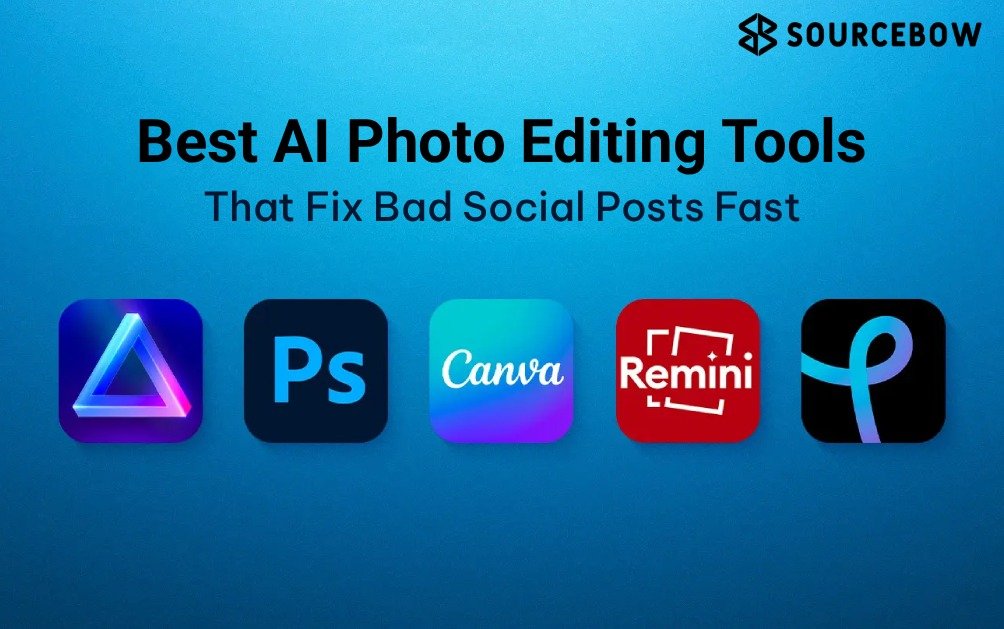
| Tool | Best for | Ease of use | Key AI features | Platform |
|---|---|---|---|---|
| Adobe Photoshop | Agencies and professionals | Medium to hard | Generative fill, AI upscaling, object removal | Desktop, web |
| Fotor | Bulk editing | Easy | Batch AI editing, templates | Web, desktop |
| Luminar Neo | Photography | Medium | Sky AI, Relight AI, Generative Erase | Desktop |
| PicsArt | Social creators | Easy | Text-to-image, image-to-video, AI effects | Mobile, web |
| Pixlr | Fast workflows | Easy | Background removal, browser editing | Browser |
If you’re looking for the Best AI photo editor overall, Photoshop still leads for serious control. If you want speed and simplicity, Fotor and Pixlr are easier to live with. If your work leans visual and social-first, PicsArt is often the most practical. And if your content is photography-heavy, Luminar Neo brings a nice balance between automation and image quality.
Adobe Photoshop stands out because it integrates Adobe Firefly AI tools directly into Creative Cloud workflows. That means AI features aren’t floating outside the process; they’re part of it. Firefly supports AI upscaling, generative fill, object removal, and smart selection, which is huge for agencies and creators who need repeatable quality. The catch is the learning curve. You get depth, but you also get complexity.
Fotor, on the other hand, feels built for speed. It supports batch editing and template management, which is a lifesaver when you’re pushing out a lot of branded content. That makes it a strong choice for small teams, ecommerce pages, and anyone who edits the same type of post over and over again.
Luminar Neo is especially appealing if your work starts with strong original photography. Its Sky AI, Portrait Bokeh AI, Relight AI, GenSwap, and Generative Erase features are useful when you want polished results without building every adjustment from scratch. It’s not the fastest app on this list, but it can produce beautiful output.
PicsArt is probably the most social-native option here. It supports text-to-image, text-to-video, image-to-video, AI filters, and generative expand. That mix matters because creators are not only editing stills anymore. They’re constantly adapting assets into different formats, and PicsArt feels comfortable in that hybrid world.
Pixlr deserves more credit than it usually gets. It launched in 2008 and has steadily evolved into a flexible browser-first editor. With Pixlr X, Pixlr E, and Photomash Studio, it covers quick fixes, more detailed edits, an asset creation without making the process feel heavy.
Why do content creators use AI editing tools instead of traditional editors?
Mostly because the pace changed. A few years ago, editing a handful of polished visuals per week was enough for many brands. Now the demand is much higher. Social media managers, influencers, and small businesses often need content for multiple platforms at once, and that means more versions, more crops, more resizing, more repurposing. Traditional editing can handle all of that, sure. But it’s slower, and sometimes painfully so.
This is where AI tools for content creators become genuinely useful. They reduce the repetitive load. A tool that can remove backgrounds, batch edit a folder, or suggest a cleaner crop is saving real hours. Fotor is a good example because its batch processing and template systems are designed for exactly that kind of work. You do the setup once, then scale it.
There’s also the burnout side of it, which doesn’t get mentioned enough. A lot of creators aren’t struggling because they lack ideas. They’re struggling because the output demand is relentless. AI helps by taking away some of the
repetitive friction. That doesn’t make creativity disappear. If anything, it gives you more room for it.
And now that many platforms support cross-platform editing across desktop, web, and mobile, the workflow is getting smoother. You can start on your phone, refine on your laptop, and publish later without rebuilding everything from scratch. That’s a big deal for anyone working in fast-moving social media content creation.
How does Adobe Photoshop compare to newer AI photo editors?
Photoshop still dominates for a reason. It’s not just that it has AI now. It’s that it already sits inside a massive professional ecosystem. People trust it, teams know how to use it, and it handles detailed work that lighter apps often can’t match.
With Firefly integrated into Creative Cloud, Photoshop has become much more approachable than it used to be for quick AI-driven edits. You can use generative fill to extend backgrounds, remove objects without obvious artifacts, upscale images, and make precise selections faster. In other words, a lot of the annoying parts got easier.
Still, newer AI-first editors can feel more natural if your main job is producing social content quickly. They’re often simpler, more template-driven, and better suited to fast turnaround work. If you’re a solo creator or a small brand, you might not need Photoshop’s full depth every day. You may just need something that helps you move.
That said, Photoshop remains the default choice for agencies and professionals because it gives more control over the final result. The newer tools are catching up fast, but they usually trade precision for convenience. So the real decision isn’t “old vs new.” It’s “how much control do I need versus how much speed do I want?”
What is the best AI photo editor for beginners and fast content creation?
If you’re new to this, simplicity matters more than a giant feature list. A beginner-friendly editor should help you get a good result fast without forcing you to learn ten new concepts first. That’s why Fotor and PicsArt stand out so often.
Fotor is very straightforward. It leans into templates, batch edits, and easy adjustments, which makes it less intimidating than pro software. It’s a strong pick for small business owners, casual creators, and anyone who wants attractive visuals without a long learning curve.
PicsArt is another easy recommendation, especially if you’re comfortable working from your phone. Its text-to-image, image-to-video, and AI effects features make it one of the more accessible AI editing apps for social media. It feels made for quick experimentation, which is exactly what many newer creators need.
Pixlr is also worth a look if you prefer browser-based tools. It’s lightweight, easy to access, and good for fast edits without installing a full desktop program. For people who want to move quickly, that matters more than they expect.
The mobile side of the market keeps growing too. A lot of creators are now doing a surprising amount of their editing on phones, not just laptops. That’s one reason mobile photo editing has become such a big part of the creator economy. If your workflow lives on the go, a tool that feels clunky on mobile can become annoying very quickly.
Which AI editing tools are best for Instagram, TikTok, and Reels?
This is where workflow compatibility really matters. The best tool for a polished portrait isn’t always the best one for a vertical Reel thumbnail or a TikTok-ready image set. Different platforms need different output styles, and the
smartest editors reflect that.
- Instagram: PicsArt and Luminar Neo are strong picks when you want visual polish without losing speed. A good AI photo editor for Instagram usually needs fast crop control, clean color work, and easy resizing for feed and stories.
- TikTok: PicsArt stands out because it supports image-to-video and text-to-video features, which helps when you’re building mixed visual posts or teaser assets.
- Reels: PicsArt is widely used for Instagram Reels and TikTok edits because it sits comfortably between image editing and light motion content.
- Shorts and vertical clips: Tools with AI video generation features are becoming much more relevant, especially if you’re turning still assets into hybrid social posts.
- X and fast social posting: Pixlr can be great when you need quick edits, background removal, and a browser-first process that doesn’t slow you down.
What matters here is not just the app, but the format. Vertical content, fast hooks, and visual clarity all reward tools that can move as quickly as the platform does. That’s also why hybrid image and video workflows are becoming a bigger deal in 2026. Creators are not editing in separate lanes anymore. They’re blending them.
How can creators make AI-edited photos look more authentic?
This part is easy to ignore, but it’s probably one of the most important. A lot of feeds look a little too airbrushed now, and audiences notice. They might not say it out loud, but they feel it. If an image looks too polished, too plastic, or too obviously generated, engagement can slip.
So what actually helps?
- Use AI for cleanup, not personality. Let it remove distractions, not flatten the image into something generic.
- Keep manual control over skin tones, shadows, and texture. Small imperfections often make a photo feel more believable.
- Match the edit to the platform. What works for a brand campaign may look overdone on a casual Instagram post.
- Protect consistency. Repeated visual style matters more than random perfection.
- Leave some natural detail in place. That’s often what makes a post feel human.
Authentic-looking visuals often perform better than heavily edited ones because they feel more relatable. That doesn’t mean you should avoid AI. It means you should use it with taste. The best results usually come from a light touch: automate the boring bits, then refine the image yourself so it still feels like your brand.
What should businesses look for before choosing a tool?
For teams, the checklist is a little different. A flashy feature can look impressive in a demo, but if it breaks your workflow, it’s not helping.
Look at whether the tool supports cloud access, team collaboration, and cross-device editing. Those things sound boring until you actually need them. Then they’re the difference between smooth approvals and endless back-and-forth.
You should also think about pricing scalability. A tool that’s affordable for one creator might get expensive fast for a marketing team. And in 2026, AI governance matters more too. Brands are paying more attention to consistency, usage rights, and how much generative output they’re comfortable publishing.
Another practical test: does the tool fit your existing stack? If your team already uses planning software, design tools, or an asset library, the editor should plug into that system without creating extra work. That’s why workflow compatibility is more important than a feature checklist alone.
And if you’re comparing options for a business, don’t forget the boring question that saves headaches later: who will actually use this every day? A powerful editor that nobody enjoys using often becomes shelfware, which is a very expensive kind of clutter.
A quick way to choose without overthinking it
If you’re still torn, here’s the simplest way to think about it.
Choose Photoshop if you want maximum control and already work like a pro.
Choose Fotor if your workflow is repetitive and batch-heavy.
Choose Luminar Neo if photography quality is the priority.
Choose PicsArt if you’re making social-first content and want image plus video support in one place.
Choose Pixlr if you need something quick, light, and browser-friendly.
That’s really the pattern. The best choice isn’t the one with the longest feature list. It’s the one that makes your content process feel lighter instead of more complicated.
Frequently asked questions
What is the best AI photo editing tool for social media?
Adobe Photoshop is ideal for professional workflows, while PicsArt and Fotor are better for quick social content creation. The right choice depends on editing complexity, workflow needs, and platform focus.
Are AI photo editing tools free?
Many platforms offer free plans with limited features. Premium subscriptions usually unlock advanced AI tools, higher export quality, and commercial usage rights.
Which AI editor works best for Instagram content?
PicsArt, Canva, and Luminar Neo are popular for Instagram because they support mobile workflows, vertical content formats, and quick visual customization.
Can AI editing tools replace professional designers?
AI tools accelerate repetitive editing tasks, but professional designers still provide creative direction, brand consistency, and advanced refinements.
Which AI photo editor is easiest for beginners?
Fotor and PicsArt are beginner-friendly because they prioritize simple interfaces, templates, and one-click editing tools.
Are AI-generated edits good for brand marketing?
Yes, when combined with manual refinement. Over-processed visuals can reduce authenticity, so brands should maintain consistent visual standards.
One last thing worth saying: the rise of AI-powered design tools doesn’t mean every creator needs the most advanced software. It just means the bar for speed has moved. Your audience still cares about clarity, taste, and trust. The tools are there to help you get there faster, not to replace the judgment part.
So if you’re choosing now, think less about hype and more about your actual day-to-day. Do you need speed? Precision? Mobile convenience? Batch work? Hybrid image and video support? Once you answer that honestly, the right tool gets a lot easier to spot. And if you’re planning your next content stack, it might be worth pairing this with an AI video editing tools guide or a best social media scheduling tools roundup so your workflow feels connected instead of patchy.
The big takeaway is simple: AI editing is no longer just about making photos look better. It’s about making social content production feel manageable again. If that sounds like the kind of help you need, the next move is probably clearer than you think.