Introduction
Compare n8n AI workflows with Zapier and Make in 2026, because the decision is no longer about simple app-to-app automation.
Once workflows stretch across systems, teams, and data sources, the real question becomes which platform can handle scale, control, and cost without collapsing into busywork.
Quick Highlights
- Zapier is the easiest starting point.
- Make is strong for visual branching.
- n8n gives the most control and flexibility.
- Pricing gets very different at scale.
- Self-hosting matters for data-sensitive teams.
Why businesses stopped treating workflow automation like a simple productivity add-on
Automation used to mean one trigger and one action. Now teams expect AI-powered workflows, decision logic, and coordination across ten systems at once, which is why this choice has become infrastructure, not convenience.
The comparison sits inside a bigger iPaaS question, where scalability, security, integration flexibility, customization depth, and automation cost matter as much as the number of connectors on the shelf.
What buyers are actually weighing before they commit budget
Modern teams are not only asking which tool connects apps. They are asking how much control they get, how much they can trust it with data, and whether the monthly bill will still make sense once workflows start running constantly.
The pressure points are obvious in the criteria people check first: scalability, security, integration flexibility, customization depth, and real automation cost.
How n8n, Zapier, and Make differ at a glance
The three platforms split cleanly on automation style: n8n is node based, Zapier is trigger-action based, and Make runs visual scenarios.
The comparison also diverges on infrastructure and pricing: n8n offers cloud plus self-hosted deployment, Zapier stays cloud only, and Make stays cloud only.
| Criteria | n8n | Zapier | Make |
|---|---|---|---|
| Automation approach | Node based automation | Trigger action automation | Visual scenario automation |
| Integrations | 1,000+ native, unlimited via API | 8,000+ integrations | 1,500 to 2,000+ integrations |
| Pricing model | Execution based, cloud or self-hosted | Task-based pricing | Operation based pricing |
| Hosting | Cloud plus self-hosted | Cloud only | Cloud only |
| Customization | High | Medium | Medium to high |
Which kind of team each platform naturally fits
Zapier fits teams that want simplicity and have no code on staff. Make fits businesses that need visual branching without giving up clarity. n8n fits technical teams that want flexibility, AI workflows, and the option to self-host on their own servers.
Why AI workflows changed the comparison in 2026
n8n, Zapier, and Make all added AI, but they did not add the same kind of AI. The difference is less about the label and more about how much control the user actually gets.
That matters because the buyer now wants either agent control, plain-English setup, or visual assistance depending on who on the team is building.
n8n AI workflows, LangChain integration, and raw control over agent behavior
n8n built native LangChain support into its canvas, and every node can accept raw code when the built-in options run short. That makes it the strongest fit for engineers who want to control memory, tool calls, and custom LLM connections directly.
Zapier AI Copilot and why it works for non-technical teams
Zapier’s AI Copilot can build a working automation from a plain-English description. Its advantage is accessibility: business users can start
immediately, and the 8,000+ integrations make it easy to connect the rest of the stack.
Make visual automation and the limits of its AI assistant
Make added AI-assisted scenario building to its visual canvas, which helps non-technical users design more complex automations faster. The tradeoff is maturity: the agent builder still trails n8n and Zapier for teams betting heavily on autonomous AI workflows.
Where the three platforms split hardest on flexibility, integrations, and deployment
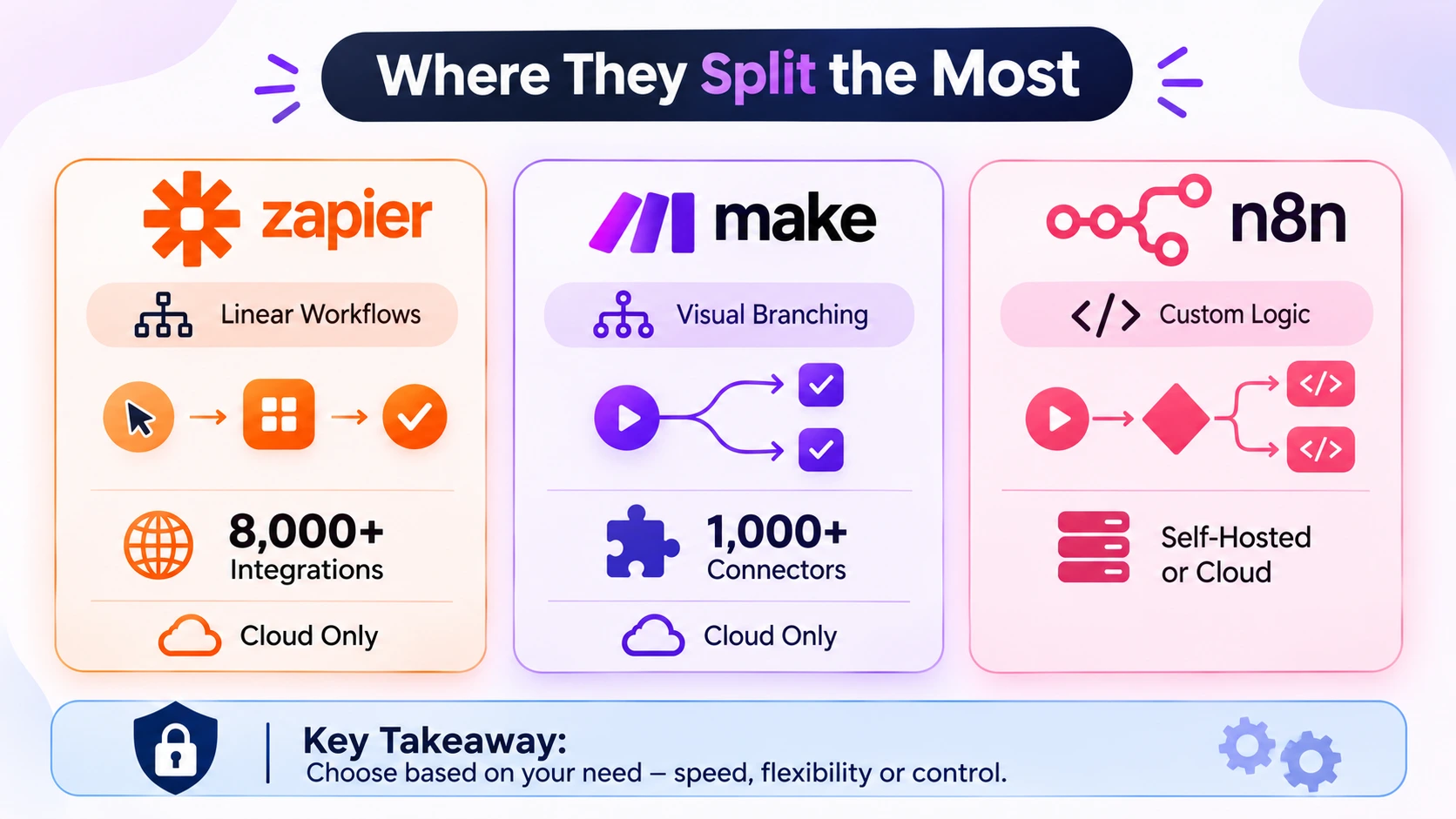
This is where the day-to-day tradeoffs become impossible to ignore. Linear speed, visual control, API reach, and data ownership each push the buyer in a different direction.
The differences are especially sharp once workflows stop being neat three-step chains and start touching internal systems, branch logic, and sensitive data.
Workflow building: linear chains v/s branching logic
Zapier keeps a strict trigger-then-action structure, with Paths handling only basic conditions. n8n allows custom logic, conditional branches, and inline scripting on the canvas, while Make stays strong for multi-step scenarios with branching.
Integration reach and API flexibility
Zapier has the widest native app marketplace at 8,000+ integrations. n8n has about 1,000 native connectors, but its HTTP request node removes the ceiling by connecting to any service with a public API.
Self-hosted vs cloud deployment
n8n can run on your own infrastructure, which keeps customer data inside your walls. Zapier and Make stay cloud only, which reduces maintenance but hands data control to a third-party vendor by default.
Why pricing changes once workflows start running at scale
The real cost difference appears when a workflow runs thousands of times a month. Task-based pricing, operation-based pricing, and execution-based pricing do not stay equivalent once volume rises.
A workflow that looks affordable in a demo can become expensive fast if every branch, retry, or connector gets billed separately.
What the same 10,000-run workflow costs on each platform
Imagine a workflow running 10,000 times a month with ten steps, pulling data through a CRM, a database, and a notification tool. On Zapier, that becomes 100,000 billed tasks; on n8n, 10,000 billed executions; and Make sits between them because it bills per operation.
| Platform | Billing model | Monthly volume in the example | Cost pressure |
|---|---|---|---|
| Zapier | Task-based pricing | 100,000 billed tasks | Pushes the account into a high enterprise tier fast |
| n8n | Execution-based pricing | 10,000 billed executions | Stays far lower even at high volume |
| Make | Operation-based pricing | Between the two | Usually lands between Zapier and n8n |
The hidden costs that cloud pricing hides
Premium connectors, extra user seats, and automation overages can quietly inflate the bill on every cloud platform. Self-hosting n8n removes per-task charges, but it adds server, storage, and maintenance costs that have to be planned for directly.
Retries matter too: a workflow that fails and retries three times on Zapier burns three times the tasks, while n8n counts only the successful run once the logic is fixed.
How to choose the right platform by team size, risk, and technical depth
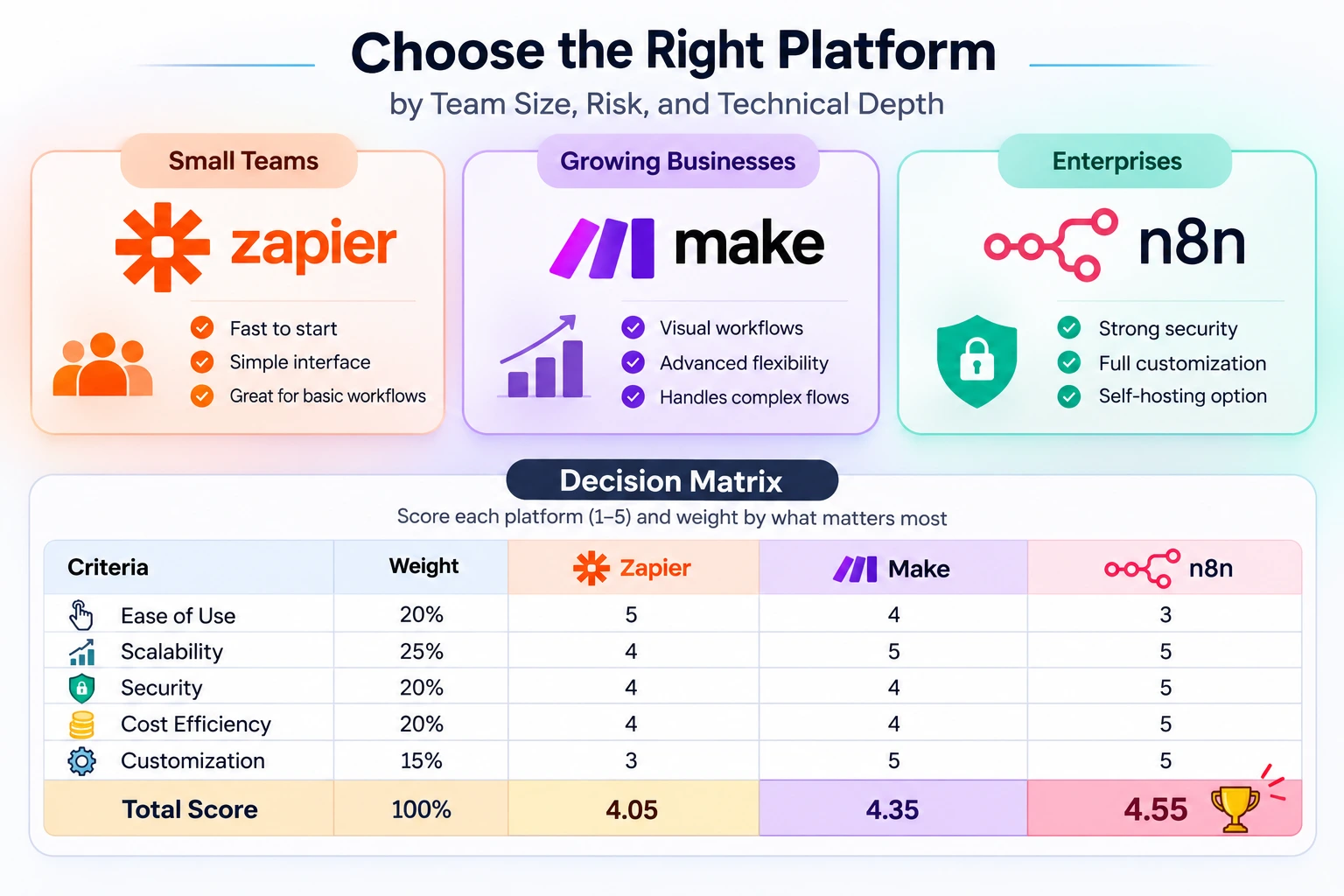
The cleanest answer is not “which tool is best” but “which tool matches the stage of the business.” Small teams, growing teams, and regulated enterprises do not want the same tradeoff.
That is why the decision often comes down to speed, flexibility, and governance more than raw feature count.
What works best for small teams, growing businesses, and enterprises
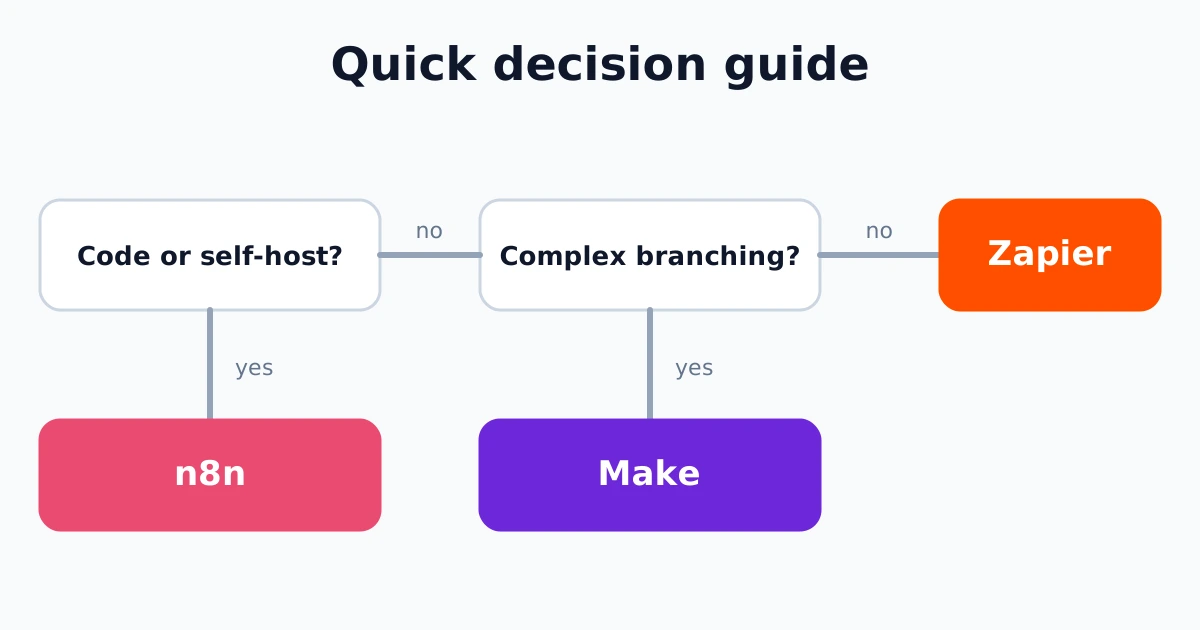
Small teams usually start with Zapier because speed and simplicity matter most. Growing businesses often lean toward Make when workflows become more visual and layered. Enterprises usually end up with n8n when security, governance, and deep customization matter more than ease.
A weighted decision matrix that forces the real tradeoff onto paper
Score each platform from one to five, then weight the result by what matters most to your business. The suggested weights are 20% for ease of use, 25% for scalability, 20% for security, 20% for cost efficiency, and 15% for customization.
| Criteria | Weight |
|---|---|
| Ease of Use | 20% |
| Scalability | 25% |
| Security | 20% |
| Cost Efficiency | 20% |
| Customization | 15% |
FAQ
These are the smaller doubts readers usually have after they understand the main tradeoffs but still want a clean answer on cost, deployment, and migration.
Q: Is n8n cheaper than Zapier and Make?
Usually yes at scale, because n8n charges per execution rather than per task. The gap gets wider as workflows get longer, retries happen, or monthly volume climbs.
Q: Should businesses choose self-hosted or cloud automation?
Choose self-hosted when data residency, governance, or privacy are non-negotiable. Cloud is easier to run, but self-hosting gives more control over infrastructure and data movement.
Q: When should companies invest in custom workflow automation
services?
When the current platform’s monthly bill, limits, or customization ceiling no longer match the business. If the payback period is under eighteen months, custom automation starts to make more sense.
Conclusion
The best workflow automation tool is the one that matches where your business is headed, not just what it needs this quarter.
Zapier wins on simplicity, Make on visual complexity, and n8n on flexibility, AI automation, and self-hosting; the right choice comes from weighing scalability, security, integration needs, and long-term automation cost honestly.