
Introduction
Hugging Face AI Models has grown into something a lot bigger than the simple “AI model site” label many people still use. With about 3 million models, 1 million datasets, and 1.44 million Spaces, it’s now a place where you can browse, test, and reuse AI work without having to build everything from scratch.
That’s the part people usually notice first. But here’s the thing: once you land on the site, it can feel a little messy at first. Is it a model hub? A
toolkit? A demo platform? Honestly, it’s all of those at once, and that’s exactly why beginners can feel overwhelmed.
Quick Highlights
- Hugging Face is more than a model library.
- Models, datasets, Spaces, and tools each do a different job.
- The Model Card is your best starting point.
- Spaces let you test AI in the browser fast.
What Hugging Face actually is, and why people call it the “GitHub of AI”
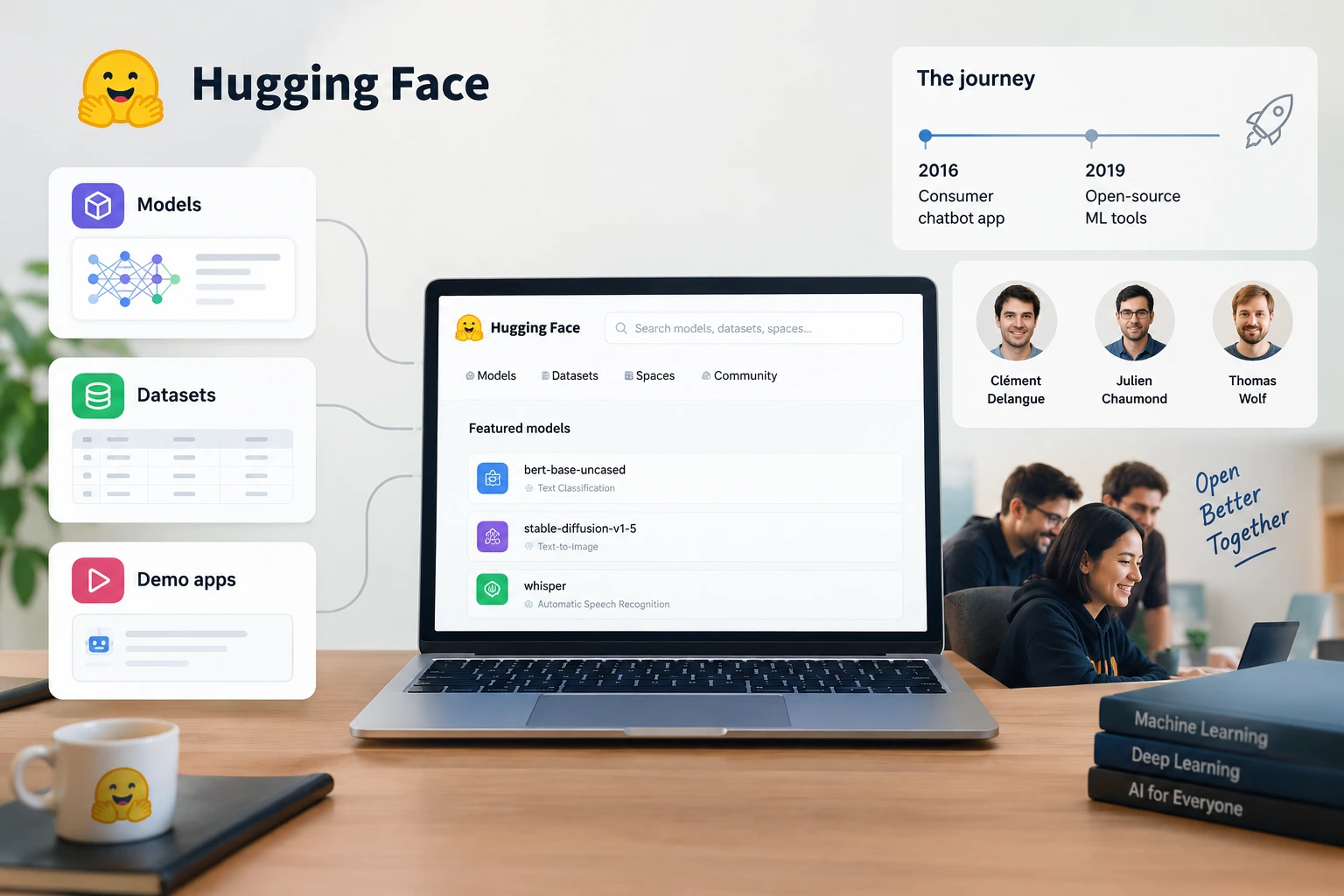
At its core, Hugging Face is an open platform where people share, find, and use AI models, datasets, and demo apps. That “GitHub of AI” nickname sticks because the whole idea is built around public sharing and reuse. You’re not just looking at files sitting in a folder somewhere. You’re looking at a living ecosystem of machine learning work that other people can actually use.
The company was founded in 2016 by Clément Delangue, Julien Chaumond, and Thomas Wolf. It started out as a consumer chatbot app, then shifted in 2019 toward open-source machine learning tools. That pivot matters, because the platform that exists now wasn’t designed just to store stuff. It was designed to make AI work more open, more practical, and a lot easier to reuse.
That openness is what makes Hugging Face different from a private lab notebook or a random download page. People often come for one model, but they stay because the platform makes it easier to explore the bigger picture around AI development.
The four parts beginners keep running into on the site
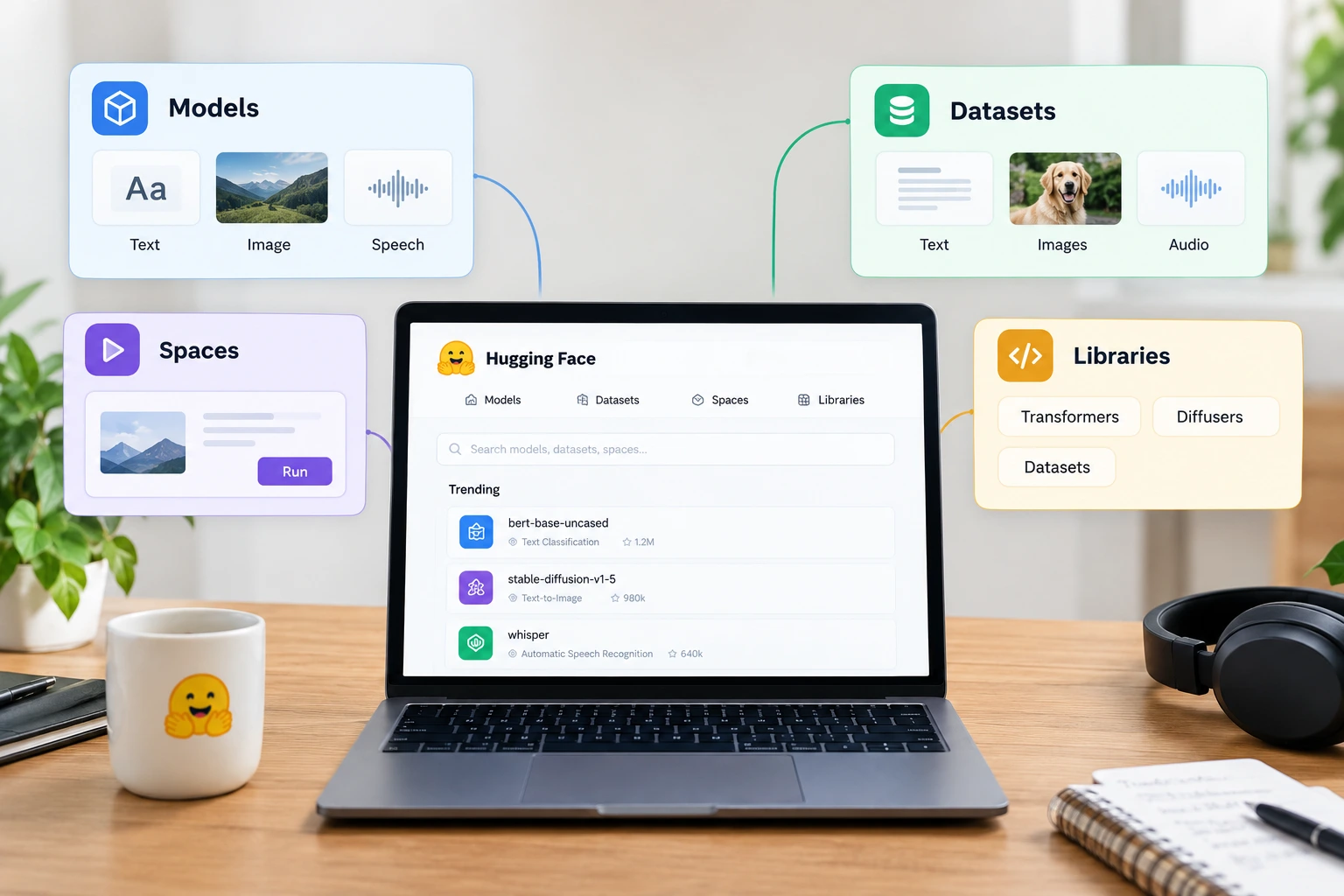
The easiest way to understand Hugging Face is to stop treating everything on the site like it’s the same thing. It isn’t. The platform is really made up of four pieces that look similar at first glance, but each one has its own job. Once you separate them, the whole site starts making more sense.
Models are pretrained AI systems you can download or test. Datasets are the collections of data used to train and evaluate those models. Spaces are interactive demo apps you can open in your browser. Libraries are the code tools that power a lot of the work behind the scenes. Put simply, one is the thing that does the task, one is the material it learns from, one is the place you try it, and one is the toolkit that helps you build with it.
The beginner mistake is assuming that if something appears on Hugging Face, it must all work the same way. That’s not quite right, and understanding the difference saves a lot of confusion later.
Models, datasets, Spaces, and libraries are not interchangeable
Here’s the short version. Hugging face AI Model can cover text, image, and speech tasks. Datasets hold text, images, or audio collections. Spaces let you try a model in your browser. Libraries include Transformers, Diffusers, and Datasets. That separation matters more than it first seems, because each part supports a different stage of the AI workflow.
| Part | What it is | Beginner example |
|---|---|---|
| Models | Pretrained AI models you can download or test | Text, image, and speech models |
| Datasets | Data used to train and evaluate models | Collections of text, images, or audio |
| Spaces | Hosted, interactive AI demo apps | Try a model in your browser |
| Libraries | Open-source code tools | Transformers, Diffusers, Datasets |
This is where a lot of beginners have that small “ohhh, okay” moment. The site feels huge until you realize the parts are working together instead of competing with each other.
The tools that matter first: Transformers, Diffusers, Datasets, and inference
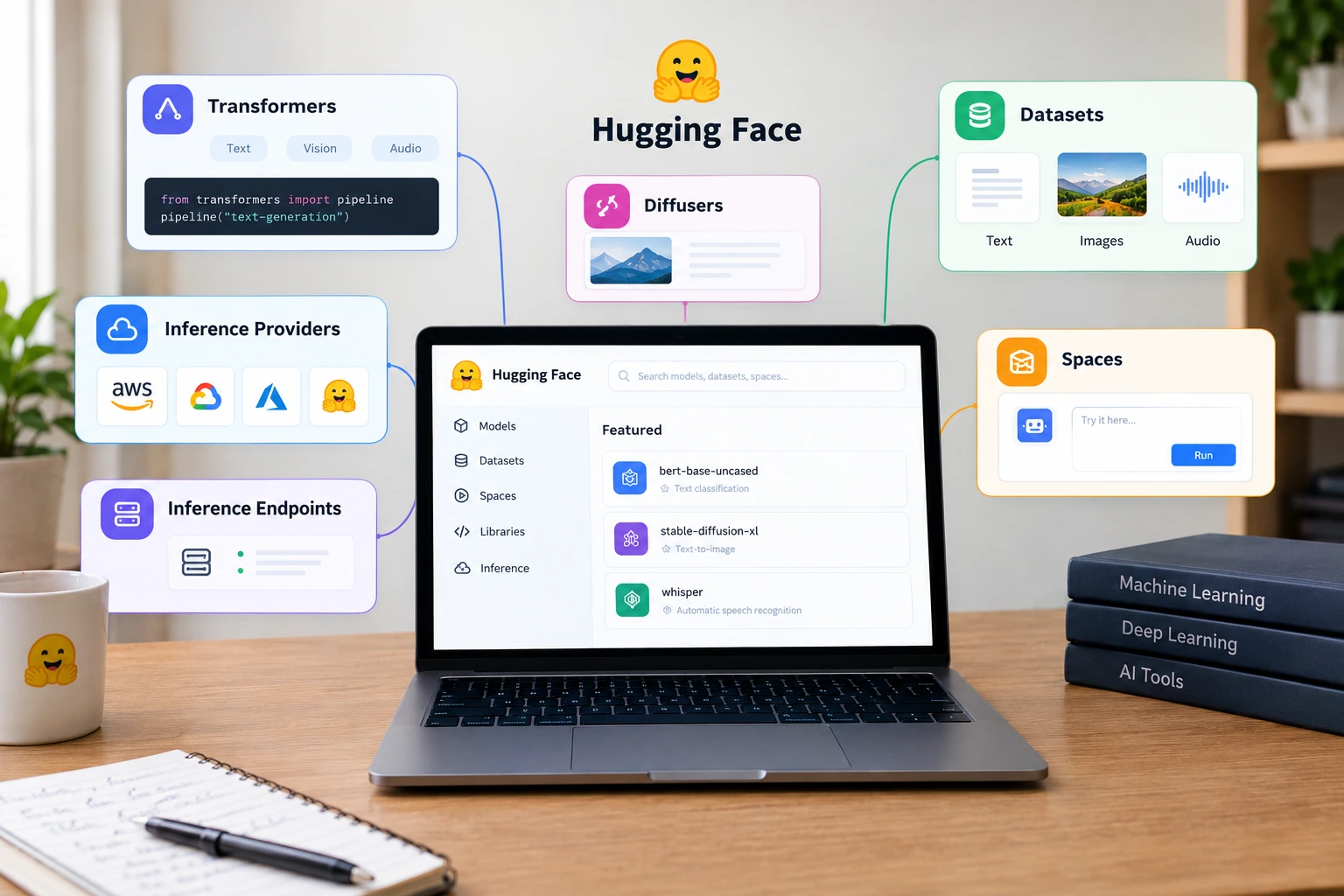
You don’t need every library on day one. In fact, most beginners get more value by focusing on the few names that keep showing up. Transformers, Diffusers, Datasets, Inference Providers, Inference Endpoints, and Spaces are the ones worth recognizing early because they show up constantly in real use cases.
Hugging Face Transformers is the unified API for pretrained models across text, vision, and audio tasks. Diffusers is used for image-generation models. The Datasets library helps load and process data efficiently. Then you have inference, which is just a practical word for getting a model to actually produce results instead of just sitting there looking impressive on a page.
That last part is where the platform becomes genuinely useful. A model on its own is interesting. A model you can actually call, deploy, or test is useful. That’s where Inference Providers and Inference Endpoints come in.
What each tool does without the jargon
Spaces are often built with Gradio, Streamlit, or Docker. If those names sound intimidating, don’t worry too much. All they really mean is that someone used common tools to wrap a model in a simple interface so you can interact with it without writing a whole app yourself. It’s a bit like seeing a restaurant menu instead of walking into the kitchen and trying to cook everything from scratch.
Inference Providers give access to models through a single API, which means you don’t have to figure out every model host separately. Inference Endpoints handle managed deployment of models, so teams can run them more reliably in production. The point of both is convenience and stability. They remove some of the messy setup work that normally slows people down.
- Transformers: one unified API for pretrained models across text, vision, and
audio tasks - Diffusers: library for image-generation models
- Datasets: loads and processes data efficiently
- Inference Providers: access to models through a single API
- Inference Endpoints: managed deployment of models
- Spaces: apps built with Gradio, Streamlit, or Docker
Once you see these tools in context, they stop feeling random. They’re not separate islands. They’re pieces of the same workflow.
How the platform’s scale changed, and why the older numbers are misleading
The public counts tell you something important: Hugging Face AI models are no longer a small corner of the AI world. People still repeat the old “1 M+ models” number, but that shorthand is outdated now. The platform has grown far beyond that, and if you’re trying to understand its role today, using old numbers will give you the wrong impression. Today, Hugging Face AI models play a significant role in the AI ecosystem, helping developers, researchers, and beginners explore, share, and use a wide range of AI technologies.
Hugging Face’s own State of Open Models: Summer 2026 report gives about 3 million models, 1 million datasets, and 1.44 million Spaces. The Hugging Face blog also listed 3,012,377 models on Aug 22, 2026. That’s a huge ecosystem, and it helps explain why the platform can feel like a maze if you’re new to it.
One detail people often miss is that private repositories are not included in those public totals. So if you only skim third-party articles, you may end up with a smaller or simply outdated picture of what’s actually there.
| Metric | Public figure | Note |
|---|---|---|
| Models | About 3 million | 3,012,377 on Aug 22, 2026 |
| Datasets | 1 million | From the Summer 2026 report |
| Spaces | 1.44 million | Hosted demo apps |
| Older figure | “1M+ models” | Outdated and incomplete |
So when someone says Hugging Face is huge, that’s not hype. It’s just current.
What a beginner usually does first on Hugging Face

The first useful path is usually pretty simple. You make an account, browse by task, read the model page, try the demo, and only then decide whether the model is worth using. That order matters because it keeps the platform from feeling abstract or technical too soon.
Start by creating a free account at huggingface.co. Then open the Models section and filter by a task like text generation or speec recognition. Once you find something interesting, look at the Model Card. That page tells you what the model is meant to do, what license it uses, and what its limits are. It’s basically the instruction manual that too many people skip.
After that, you can try the model in a Space or use the demo widget directly on the model page. If it looks promising, the code snippet on the page gives you a way to run it in Python. That’s the practical bridge between browsing and actually building something.
For beginners, that’s the sweet spot: low friction, low risk, and enough context to make a decent decision before you invest time.
The model page does most of the work for you
The Model Card is probably the most underrated part of the whole platform. It tells you what the model does, what it’s allowed to do, and where it may fall short. That’s useful because models can look amazing in a demo and still be a poor fit for your actual use case.
This is also where the platform’s openness really shows. Hugging Face is built for reuse, not blind trust. You’re expected to inspect, compare, and test. In a weird way, that makes it more beginner-friendly, because you’re not forced to guess what a model is supposed to do.
Look, AI tools can be confusing when they’re wrapped in buzzwords. The model page cuts through that pretty quickly if you take a minute to read it carefully.
FAQ
These are the questions that usually come up after someone understands the basics but still wants the practical version.
Q: Is Hugging Face just for machine learning experts?
No. The browser demos, model cards, and open downloads are designed to lower the barrier for beginners. You can explore quite a lot before writing anything serious in Python, which is part of why so many people use it as their first stop.
Q: What is the difference between Hugging Face Transformers and the datasets library?
Transformers is the unified API for pretrained models, while the Datasets library is for loading and processing data efficiently. One is mainly about running models; the other is about feeding and preparing data.
Q: Are the model counts on Hugging Face stable?
No. Usage numbers change fast, and third-party posts often conflict. Hugging Face’s own reports are the safer reference, and private repositories are not counted in the public totals.
Q: Can I use Hugging Face Spaces to test demos in a browser?
Yes. Spaces are hosted interactive AI demo apps, and they’re one of the fastest ways to try a model without setting up a local environment.
Conclusion
Hugging Face is worth understanding because it gives you open access to models, datasets, and working demos instead of making you build everything from zero. That’s the real appeal behind the platform’s size, and it’s why so many beginners end up using it again and again.
If you want the shortest practical next step, start with the Model Card, try a demo in Spaces, and only then decide whether the model is worth using. That simple flow is usually enough to turn confusion into confidence.