Introduction
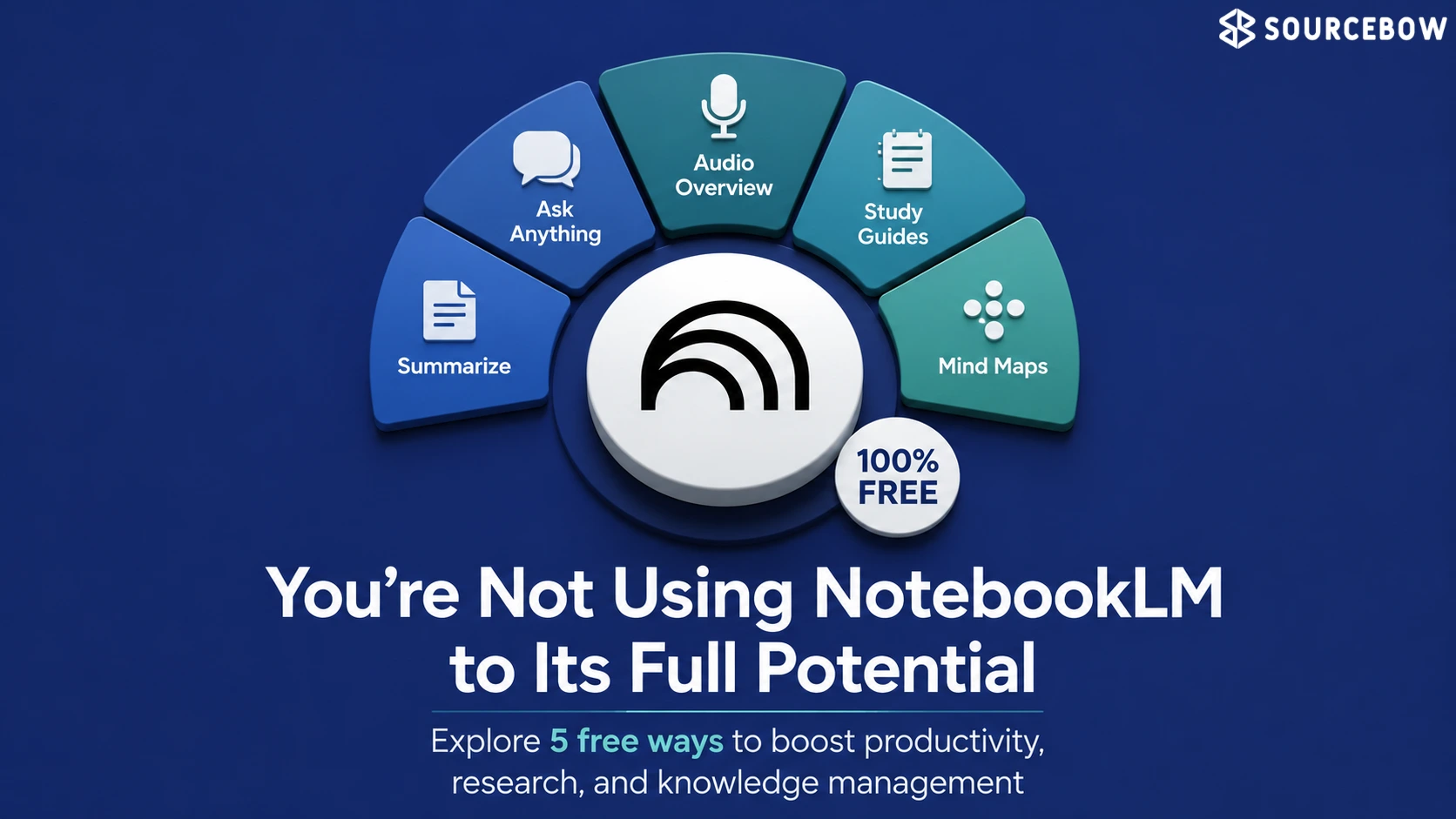
NotebookLM looks a lot like a student tool at first glance, and honestly, that’s probably why some people never get past the surface. But once you start dropping in your own files, notes, links, and messy research, it starts acting less like a study helper and more like a very patient thinking partner.
Quick Highlights
That’s the real surprise here. NotebookLM isn’t only useful when you’re cramming for an exam. It can help you learn faster, keep track of information that would normally get buried, and make decisions with a little less chaos. If you’ve ever had ten tabs open, three half-finished notes, and a vague sense that you’re missing something important, this is the kind of tool that starts to make sense quickly.
| What you can use it for | What it feels like in practice | Why it matters |
|---|---|---|
| Learning new skills | A clearer path through tutorials, notes, and transcripts | Less overwhelm, faster understanding |
| Personal knowledge base | One place to search everything you’ve saved | Information stops disappearing into folders |
| AI-powered research | Cleaner comparisons without extra noise | Better choices, less second-guessing |
| Job interview prep | Company info, job posts, and news in one view | You prepare with context, not just memory |
Learn new skills faster with NotebookLM
If you’re trying to learn something from scratch, the hardest part usually isn’t access to information. It’s figuring out what matters and what you can safely ignore. NotebookLM helps with that by letting you pull beginner tutorials, transcripts, PDFs, and your own notes into one place, then ask simple questions that cut through the fog.
That’s a huge deal when a topic feels bigger than it really is. Maybe you’re learning video editing, personal finance, coding, or even something practical like home repair. Instead of bouncing between random explanations, you can keep everything together and ask things like, “What should I understand first?” or “What’s the difference between these two terms?”
It doesn’t make the learning for you, of course. But it does reduce the friction. And sometimes that’s the whole battle.
- Beginner tutorials, transcripts, PDFs, and notes all in one place
- Simple questions that make confusing topics feel less heavy
Use NotebookLM as your personal knowledge base
There’s a point where saving things in folders stops being helpful because you can’t actually find anything when you need it. NotebookLM works nicely as a personal knowledge base because it turns scattered files into something you can search, question, and revisit like one living archive.
That means old project notes, research PDFs, meeting summaries, reference docs, and even loose ideas don’t have to sit in separate little corners of your computer. You can group them into a notebook and treat them like connected pieces of the same puzzle.
Here’s the thing: most people don’t need more places to store information. They need a better way to use the information they already have. This is where NotebookLM starts to feel different from a regular folder system. It’s not just holding your notes. It’s helping you make sense of them.
Make better decisions using AI-powered research
Decision-making gets messy fast. You compare products, services, tools, or plans, and suddenly you’re deeper in opinions than facts. NotebookLM is useful here because it can help reduce the noise instead of adding more of it. When you feed it source material, it can pull together the main points and make the comparison feel a lot less exhausting.
That matters whether you’re choosing software, planning a purchase, or trying to understand a complicated topic before you commit to something. Instead of reading ten slightly contradictory explanations, you can focus on what the actual sources say and ask follow-up questions that narrow things down.
It won’t make the decision for you, and that’s probably a good thing. But it can make the decision clearer. And clarity is underrated.
Prepare for job interviews with NotebookLM
Job interviews are one of those situations where you’re expected to remember a lot of details under pressure. Company pages, job posts, and recent news updates can feel like separate chores, but NotebookLM pulls them into one readable picture so you’re not scrambling at the last minute.
You can keep the role description, background research, and a few useful notes together, then review them in a more conversational way. That’s especially handy if you want to practice answers that sound informed without sounding memorized. The goal isn’t to sound like you copied the company website. It’s to walk in with context.
And if you’re the kind of person who revises better by listening, the audio overviews can be surprisingly helpful. They make it easier to absorb the material while you’re doing something else, which is honestly a nice break from staring at a screen.
- Job descriptions
- Company research and recent updates
- Audio overviews for faster revision
Organise tutorials, PDFs, and notes in one place
The quiet value of NotebookLM is that it makes information usable later. That sounds small, but it’s usually where most systems fail. We save tutorials, download PDFs, jot down notes, and tell ourselves we’ll come back to them. Then the week gets busy, and everything turns into digital clutter.
NotebookLM helps by giving those materials a second life. Tutorials don’t stay as half-watched links. PDFs don’t just sit in a download folder. Notes don’t vanish into a random app you forgot to open. Instead, they stay connected and searchable, which makes returning to them feel much easier.
If you’ve ever found yourself re-googling the same thing because you know you saved the answer somewhere but can’t remember where, this part will feel familiar in the best way. The tool doesn’t just store your information. It gives it a place to be useful.
- Keep tutorials, PDFs, and notes in one searchable place
- Revisit material without starting over
- Reduce the mess of duplicate files and forgotten links
FAQ
People usually want to know whether NotebookLM is only for students, how it handles uploaded sources, and whether it actually saves time. Those are fair questions, because a tool can sound useful on paper and still feel awkward in real life.
Q: Is NotebookLM only useful for studying?
No, it works well for research, comparisons, interview prep, and organizing personal information too.
Q: Does NotebookLM use random web answers?
Mostly no — its responses are based on the files and sources you upload.
Q: Can NotebookLM replace a regular note-taking app?
Not exactly, but it can feel much more useful once your notes need to be searched, compared, or revisited.
Q: Who gets the most out of NotebookLM?
Students, creators, freelancers, researchers, and anyone juggling too much information at once.
Conclusion
NotebookLM works best when you stop treating it like a study helper and start using it as a place where your own material becomes clearer. If your information is already everywhere, this is the kind of tool that quietly makes it feel manageable. And since NotebookLM free access is enough for a lot of everyday use, it’s easy to try it without overthinking it. Start with one messy pile of notes or one tricky project, and see what changes.