Why MVVM Isn’t Just Another Fancy Acronym
Ever wondered what MVVM really means or why developers even bother with it? Let’s break it down without all the buzzwords and confusing stuff.
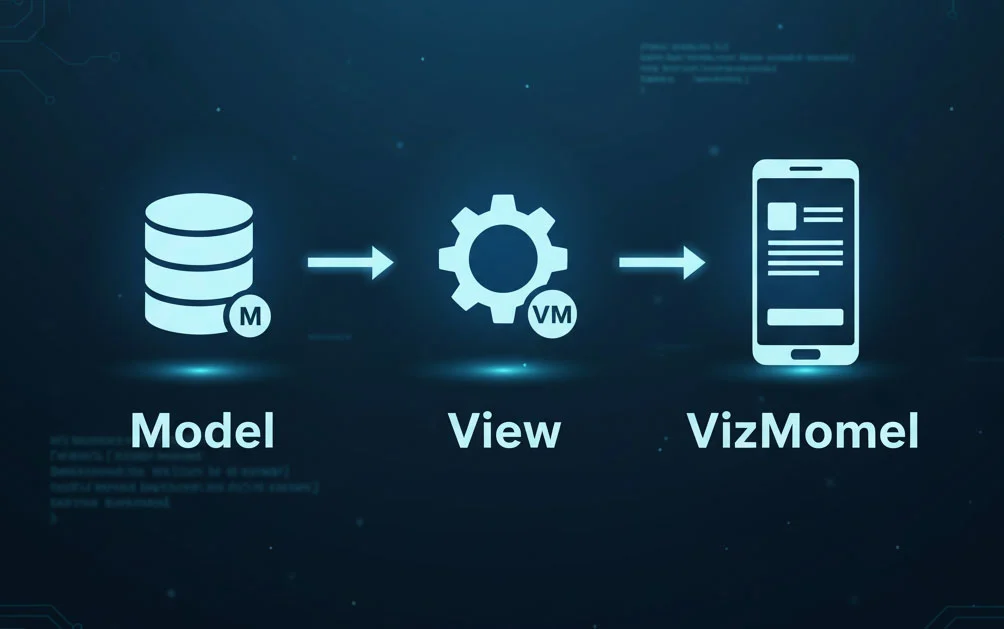
MVVM stands for Model View ViewModel, and it’s a design pattern used to build user interfaces in a smarter way. Think of it as a way to keep things organized when apps start to get a bit messy.
Breaking Down MVVM
So, what are the three parts?
Model
This is where the real data lives. Not just raw numbers or text, but the core stuff that defines your app. For example, if you’re building a flight booking app, your model might include things like flights, locations, time frames — all the real-world things your app deals with.
View
This is what the user actually sees and interacts with. Buttons, lists, pages — all the UI stuff.
ViewModel
Now here’s the interesting bit. The ViewModel sits in the middle. It’s not quite the UI, but it knows everything the UI needs to show and do. So, if there’s a page with a list and a button, the ViewModel holds that list and also knows what to do when the button is clicked. It’s like the brain behind the UI.
Say you’ve got a list and an “Add” button. The ViewModel would have a property like Items — probably an observable collection so it updates automatically — and a method like Add that gets triggered when the button is clicked. Clean, right?
Isn’t That Just Code-Behind?
It might feel similar at first glance, especially if you’ve used code-behind files where the logic sits right behind the UI. You might be wondering — what’s the big deal then?
Here’s the thing: code-behind files are tightly tied to the UI framework (like Xamarin, in this case). That means they’re not great for unit testing. You can’t really test how your UI behaves without jumping through a bunch of hoops.
By using MVVM, you move the logic into a ViewModel — a regular, plain class that’s independent from the UI. That’s what makes it so much easier to test. These ViewModel classes are often called POCOs — Plain Old CLR Objects — just simple classes with no extra baggage.
Should You Even Use MVVM?
Here’s a bit of honesty: if you’re not doing unit testing, you probably don’t need MVVM. Seriously.
MVVM adds complexity. You’ll end up writing more code, introducing new files, and adding more moving parts. So if your app is small or medium-sized, and you’re not planning to test it deeply, keeping things in the code-behind might actually be the smarter choice.
But — and it’s a big but — once your app starts to grow, and especially if you care about clean, testable code, MVVM becomes super helpful.
Think about it: users don’t care how many fancy design patterns are in your app. They just want it to work — fast, smooth, and without bugs. No one hands out awards for using MVVM. It’s all about whether it helps you write better, testable code.
So, start small. Don’t jump into MVVM from day one if you don’t need it. But as your app gets bigger and your logic more complex, that’s a great time to refactor and bring in MVVM where it makes sense.
A Closer Look at Why Code-Behind Fails
Let’s say you have a page that loads some playlists when it appears. You might use an OnAppearing method to set the data. But here’s the issue — you can’t call this method from a unit test because it’s protected. And changing it to public? Well, that breaks the rules because it’s defined in the base class.
Also, the UI elements like lists or buttons are private by default. If you want to test their state, you’d have to make them public — which just gets messy and risky.
And those event handlers — like the ones triggered when a button is clicked or an item is selected — are private too. Making them public just for testing is like patching holes with duct tape. It works, but it’s not clean.
Now imagine you added a confirmation box — something that asks the user before doing something. In your tests, there’s no actual confirmation box to respond to. So testing becomes a nightmare.
Why ViewModels Make Testing Easier
By pulling this logic into a ViewModel, none of it depends on the UI framework anymore. The ViewModel doesn’t care about pages or buttons. It just works with simple classes and data. That makes testing a breeze — you can call methods, check properties, and make sure things behave the way they should.
So the plan is simple: refactor the code, little by little, and move the logic into a ViewModel. Sure, the code-behind won’t be totally empty — and that’s okay. The goal is to make it as light as possible.
Final Thought Before You Dive In
Even if you’re not ready to write unit tests just yet, understanding how MVVM works will help you write better, more maintainable code in the future. Concepts like interfaces, dependencies, and loose coupling will keep coming up — in bigger projects, job interviews, or just when you’re trying to figure out why your app’s acting weird.
So go ahead, explore how MVVM works. You don’t have to be an expert right away. Just getting familiar with the idea is a solid first step.