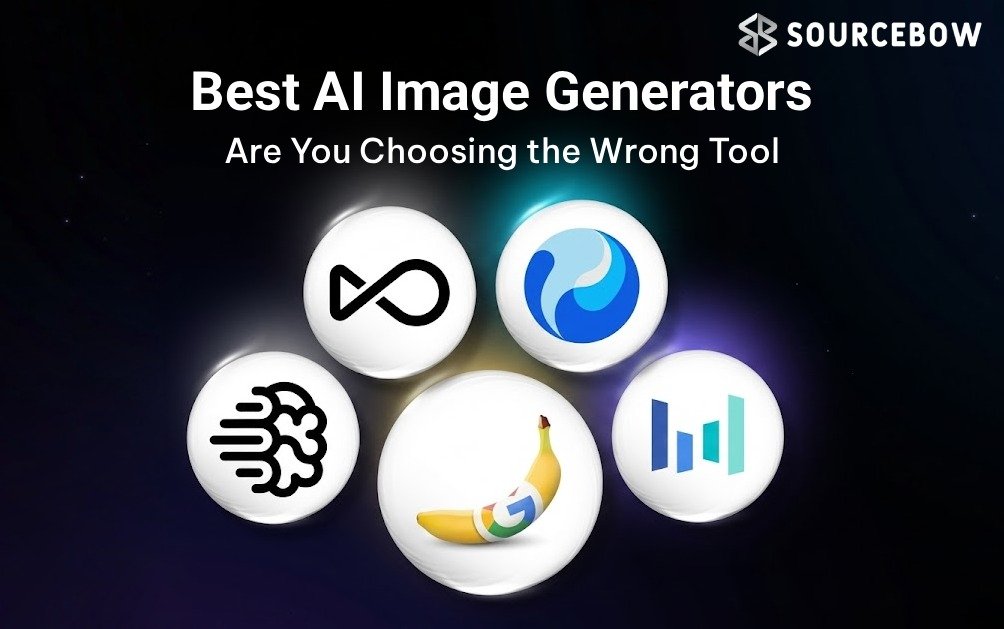
If you’ve spent even ten minutes comparing AI art tools lately, you already know the problem: everything sounds amazing, every product claims to be the smartest, and somehow all of them look “best” until you actually try them. That’s exactly why choosing between the Best AI image generators in 2026 is less about hype and more about matching the tool to the work you actually need done.
And that matters more now than it did a year ago. Generative AI design tools are growing fast, multimodal editing is becoming the norm, and commercial safety is no longer a side note for brands. In practical testing with real prompts, editing tasks, text rendering checks, and photorealistic scenes, the differences between tools were obvious. Some were faster. Some were more creative. A few were safer for business. Very few were great at everything.
Quick Highlights
- Nano Banana Pro is the strongest all-around pick.
- Canva is the easiest choice for beginners.
- Adobe Firefly stands out for commercial safety.
- Stable Diffusion is still the best open-source route.
- Privacy and licensing matter more than raw image quality.
What is the best AI image generator in 2026?
The short answer: there isn’t just one. If you want the most balanced option, Nano Banana Pro currently leads for realism, character consistency, and text rendering. But the real answer depends on your workflow. A marketer making campaign graphics, a designer refining compositions, and a beginner creating social posts do not need the same tool.
That’s why a workflow-first approach works better than a simple ranking. For beginners, Canva is hard to beat. For professional creative work, Adobe Firefly makes a lot of sense. If you want creative experimentation, Midjourney still feels special. For people already living in ChatGPT, GPT-Image-1 is convenient. And if you want control and local
deployment, Stable Diffusion remains the open-source heavyweight.
In other words, the best AI image generators are the ones that fit how you actually create, not just the ones with the flashiest sample images.
How do AI image generators actually work?
Most of these tools use text-to-image models, often built on diffusion systems. You type a prompt, the model interprets it, and then it gradually builds an image from noise into something recognizable. Newer systems also handle editing prompts, reference images, style controls, and even multimodal workflows where text, image, and editing instructions all blend together.
That’s the simple version. The messy part is where quality starts to vary. Some platforms are great at prompt adherence but weak at hands, faces, or typography. Others produce beautiful-looking images but struggle with readable text or consistent characters across multiple outputs. In testing, those gaps showed up fast. A prompt might nail the mood but miss the anatomy. Another tool might create a gorgeous scene but turn a sign into nonsense.
This is why evaluation has moved beyond “does it look cool?” The better question is: can the tool follow your prompt, edit accurately, keep characters consistent, and generate usable graphics without a bunch of cleanup later? That’s where the newer multimodal systems in 2026 really started separating themselves from older text-to-image software.
Which AI image generator is best for beginners?
If you’re just getting started, Canva is the easiest place to land. It’s simple, familiar, and built into an ecosystem that already works well for social posts, presentations, and quick marketing assets. You don’t need to learn a complicated prompt workflow to get something useful out of it, which is a big deal for beginners and small teams.
Canva also fits nicely into AI-assisted social content workflows. That means you can create a post, edit it, resize it, and publish it without jumping between five different tools. For people who care about speed more than technical
tinkering, that convenience is real value.
There’s another reason it stands out: Canva says it does not train AI on user-generated content. For a beginner, that privacy note can be reassuring, especially if you’re creating brand assets, client drafts, or personal projects you don’t want feeding into a training pipeline.
So if you want an AI image generator for beginners that feels low-stress, budget-friendly, and practical, Canva is still one of the safest first picks.
Which AI image tool is best for professional creative work?
For serious design work, Adobe Firefly is the one many teams will keep circling back to. It’s built to slot into existing professional workflows, especially if your team already uses Photoshop or other Adobe tools. That integration alone saves time. But the bigger story is commercial safety.
Firefly was trained on licensed Adobe Stock assets, which makes it easier for businesses to justify use in client-facing work. If you’re an agency, in-house team, or freelance designer working under brand guidelines, that matters a lot. The tool isn’t just about image quality; it’s about lowering the risk of copyright headaches later.
This is where a lot of roundup articles stay too shallow. They compare image quality and stop there. But for professionals, the legal side is often just as important as the creative side. An AI image generator for professionals should help you move faster without making your legal or compliance team nervous. Firefly does that better than most.
It’s not always the most playful or surprising tool, but it is one of the most practical for production environments.
Which tool makes the most realistic images?
If realism is your main goal, Nano Banana Pro is the one that stood out most in testing. It earned the top spot for overall performance because it handled realistic scenes, prompt accuracy, character consistency, and readable text better than most competitors. That combination is rare.
And yes, the text rendering piece matters more than people think. A lot of tools can make a convincing portrait or product mockup, but once you need legible labels, signage, packaging, or social graphics with words in them, the weaknesses show fast. That’s why the phrase AI image generator with text rendering really means something in 2026. It’s no longer a nice extra. It’s a real differentiator.
Realistic output is powerful, but it also raises the stakes. The better an image looks, the more important disclosure becomes. Deepfake rules, platform labels, and AI disclosure expectations are tightening, and brands need to think about that before publishing anything that could be mistaken for a real photo.
So, if you want photorealistic AI images with strong editing reliability, Nano Banana Pro is the one to beat right now. Just use that power responsibly.
Are open-source models better for advanced users?
For advanced creators, the answer is often yes — or at least, they’re better in specific ways. Stable Diffusion remains the most flexible open-source AI image generator, and that flexibility is the point. You can deploy it in different ways, customize models, run it locally, and adapt it to niche workflows that closed
platforms simply won’t support.
That makes it especially attractive for people who care about privacy or want more control over assets. If you run a local setup, you’re not sending every prompt to a cloud service, which can be a big plus for sensitive projects. It’s also useful for teams experimenting with brand style systems, custom output rules, or internal creative pipelines.
But there’s a tradeoff. Local setups can take more time, more technical know-how, and sometimes more hardware than a beginner expects. So while Stable Diffusion is an excellent open-source AI image generator, it’s not always the easiest choice.
Still, if you value privacy and control over convenience, it’s one of the smartest options available.
What are the biggest risks to think about?
This is the part many buyers skip, and honestly, it’s the part that can save you the most trouble. The main concerns are copyright, AI training ethics, brand misuse, harmful content, and public-facing image risk. In the real world, that means you need to know what rights you have, what the tool is trained on, and whether the platform allows commercial use without surprise limitations.
Commercially safe AI images are now a buying factor, not just a legal footnote. Midjourney has been part of ongoing copyright lawsuit conversations, which is one reason brands tend to ask harder questions now. Not because creative freedom is bad, but because business use needs cleaner guardrails.
Here’s the tradeoff in one line: the most creatively exciting tool is not always the safest for client work. And the safest tool is not always the most imaginative. You need to decide where your risk tolerance sits.
- Check commercial licensing before publishing.
- Read the privacy policy, not just the product page.
- Be careful with public figures, logos, and brand likeness.
- Keep disclosure expectations in mind for AI-generated graphics.
It’s not the fun part, but it’s the part that protects your work.
AI image generators compared: features, pricing and best use cases
Below is a practical AI image generator comparison to help you match the tool to the job. Pricing can change, but these starting points give you a useful baseline.
| Tool | Best For | Pricing | Strength | Weakness | Commercial Safe? | Privacy / Training Notes |
|---|---|---|---|---|---|---|
| Nano Banana Pro | Best overall, realism, text | Starts at $20/month | Excellent prompt adherence and editing | Can feel overkill for casual users | Depends on policy and use case | Review policy before client publishing |
| Canva | Beginners, social content | Starts at $13/month | Easy workflow and templates | Less advanced than pro tools | Generally strong for everyday business use | Does not train on user-generated content |
| Adobe Firefly | Professional design, agencies | Starts at $10/month | Commercial safety and integration | Less experimental than creative-first tools | Yes, strongest here | Trained on licensed Adobe Stock assets |
| Stable Diffusion | Advanced users, local setup | Around $10/month via Stability AI | Highly customizable | Setup can be technical | Depends on deployment | Local use can reduce sharing risks |
| Midjourney | Creative concepts, style exploration | Starts at $10/month | Beautiful, artistic results | Less reliable for text and strict control | Needs careful review | Check brand and licensing needs closely |
| GPT-Image-1 | ChatGPT users | Starts at $20/month | Convenient inside ChatGPT | Not always the most specialized | Depends on usage and policy | Best for users already in that ecosystem |
A quick read of that table tells you something important: pricing alone doesn’t tell the whole story. A cheaper tool can still cost you more if it doesn’t fit your workflow. That’s why I always tell people to think in value per dollar, not just subscription price.
How should businesses choose one in 2026?
Start with the boring questions. Budget. Skill level. Editing needs. Brand risk. Workflow integration. Then ask what kind of output you need most often. A startup marketing team making ads has very different needs from a solo creator making mood boards or a design studio building client decks.
Here’s a simple way to think about it:
- Beginners: choose Canva if you want speed and ease.
- Professional teams: choose Adobe Firefly if licensing and compliance matter.
- Realism and text: choose Nano Banana Pro if quality is the priority.
- Creative exploration: choose Midjourney for style and concept work.
- Advanced control: choose Stable Diffusion if privacy and customization matter.
- ChatGPT workflow: choose GPT-Image-1 if you want everything in one place.
What’s changed in 2026 is that AI governance isn’t just an enterprise buzzword anymore. Even smaller marketing teams are starting to care about where the model gets its data, whether the output is safe to publish, and how to handle internal approval. That’s a healthy shift, honestly. It means the tools are being judged like real production software, not just toys.
If you’re choosing for a business, don’t ask only “Which tool is best?” Ask “Which tool is safest, fastest, and easiest to scale for this specific workflow?” That question usually leads to a much better answer.
Final thoughts
The easiest trap is assuming one tool should win every category. It won’t. The smarter move is to choose based on what you actually need: speed, creativity, realism, privacy, budget, or commercial safety. That’s why the Best AI image generators in 2026 are really a set of different solutions for different kinds of creators.
My simple takeaway? Nano Banana Pro is the strongest overall, Canva is the friendliest for beginners, Adobe Firefly is the safest bet for professional work, Stable Diffusion gives advanced users the most control, Midjourney is still the most artistic, and GPT-Image-1 is convenient if you live in ChatGPT already.
So before you subscribe to anything, pause and think about the workflow you’re trying to improve. Are you making brand-safe marketing graphics, experimenting with concepts, or just trying to get something decent done quickly? That answer should make the choice a lot clearer.
If you want, I can also help you build a side-by-side shortlist for your exact use case. Sometimes that’s the difference between picking a tool that looks good and picking one that actually saves you time.
FAQ
What is the best AI image generator right now?
Nano Banana Pro currently leads in realism, character consistency, and text rendering. But the best choice still depends on whether you need brainstorming,
professional design, or beginner-friendly creation.
Which AI image generator is best for commercial use?
Adobe Firefly is widely considered one of the safest choices for commercial projects because its models are trained on licensed and public-domain assets.
Are AI-generated images copyrighted?
Copyright rules vary by country and platform. Many tools also have different licensing terms, so it’s smart to check commercial-use policies before publishing or selling
AI-generated content.
Which AI image generator is easiest for beginners?
Canva is among the easiest options because of its simple interface, templates, and low learning curve.
Can AI image generators create realistic photos?
Yes. Modern tools like Nano Banana Pro and Stable Diffusion can produce highly photorealistic results with strong prompt adherence and editing capabilities.
Are open-source AI image generators safer for privacy?
They can be. Running open-source models locally may reduce data-sharing risks compared with cloud platforms, depending on configuration and deployment.
Different AI art tools are good at different jobs, and that’s the real story here. Realism, editing, copyright safety, and privacy matter more than ever. And in a world where text-to-image models keep getting better, choosing wisely is no longer optional. It’s part of the workflow now.