Introduction
Most teams use Claude Chat for everything, then wonder why AI still doesn’t feel like it’s saving them time. And honestly, that’s a pretty normal trap. Chat is the easiest place to start, so people keep reaching for it even when the work has clearly moved beyond a simple back-and-forth.
The real issue isn’t Claude itself. It’s that not every job belongs in a chat window. Some work needs memory. Some work needs repeatable rules. Some work needs automation. And some work just needs code. Once you start routing tasks to the right place, the whole system suddenly feels a lot less clunky.
Quick Highlights
- Chat is for thinking, not doing.
- Projects help when context has to stick around.
- Skills are best for repeatable, rule-based work.
- Cowork handles file-heavy and cross-app tasks.
- Code is where engineering work belongs.
Why Chat feels useful until the work gets repetitive or operational
Claude Chat is genuinely useful. That’s why so many teams stay there. It’s fast, flexible, and good at sounding like a helpful colleague who actually understands the problem. If you need to brainstorm headlines, outline a strategy, or sanity-check an idea, it’s great.
For example, if you ask it to Write a blog post on AI trends, Chat can research, organize the thinking, draft a structure, and help refine the language all in one pass. That’s where it shines. It’s a thinking partner, and for a lot of creative work, that’s enough.
But then the task gets messy. A file needs to be read. A spreadsheet needs to be filled. Emails need to be sent. A process needs to happen the same way every week. That’s where Chat starts to feel like the wrong room for the job. Not useless. Just misused.
Claude Chat is the wrong place to expect automation
This is the first mental switch teams need to make: Claude Chat handles the thinking side, but it’s not the place to expect files, automation, or system actions. If the work needs to actually do something outside the conversation, Chat is probably not the right tool.
That sounds obvious once you say it out loud, but people miss it all the time. They keep asking a conversation tool to behave like an operations tool. It’s a little like asking a brilliant consultant to also run your payroll. Sure, they might understand the process. But understanding and executing are two different jobs.
So, when something feels repetitive, mechanical, or dependent on system steps, that’s your clue to move away from Chat and into the part of the Claude ecosystem that’s built for it.
Which Claude tool fits each kind of work
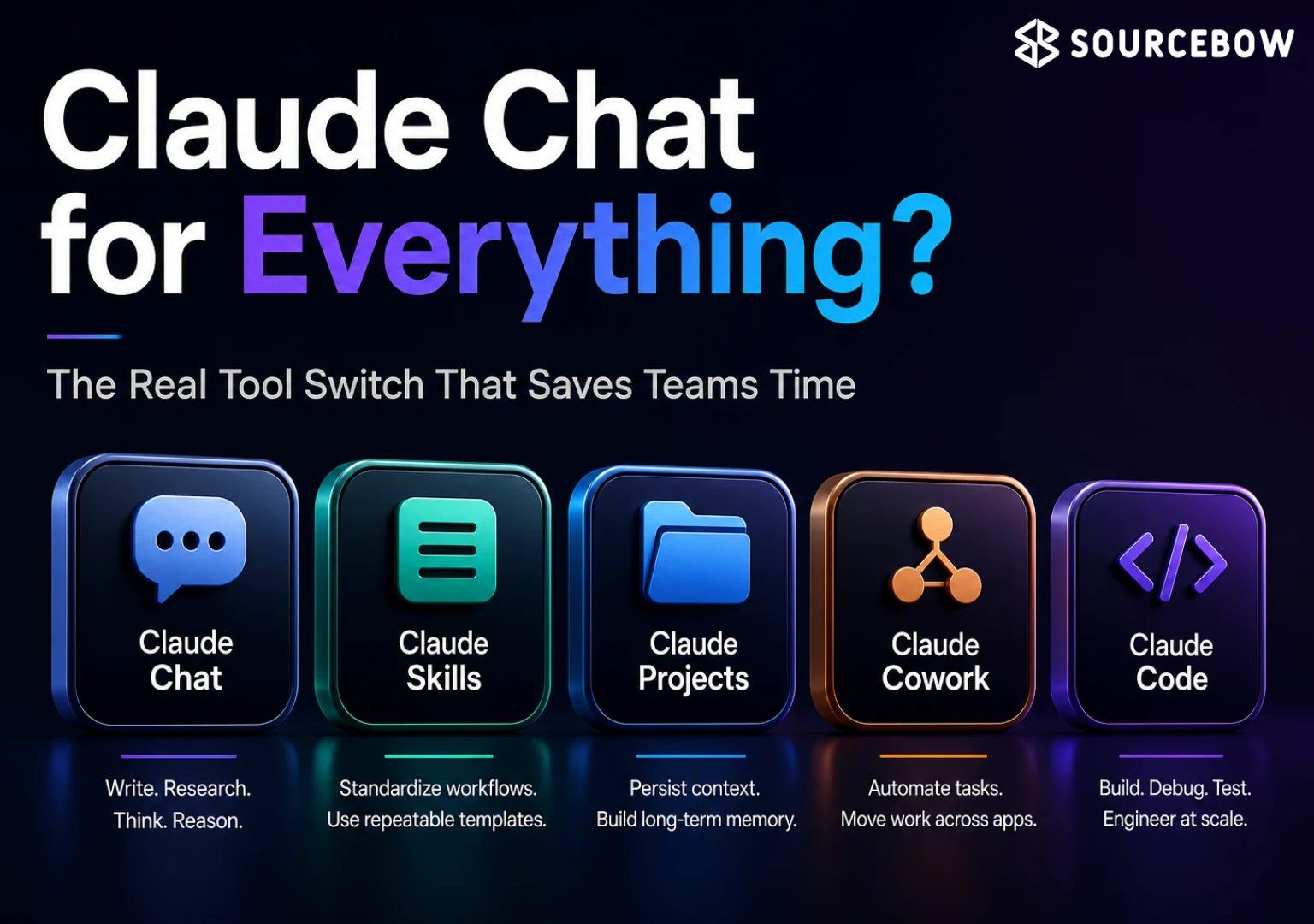
The simplest way to think about the Claude ecosystem is this: five different jobs, five different tools. Chat thinks. Skills standardize. Projects persist. Cowork automates. Code builds. That split is what makes the setup feel faster than a Chat-only workflow.
And once you see the split, it’s hard to unsee it. You stop forcing every task into one box. You also stop expecting one tool to be magical in every direction. That alone can save a team a surprising amount of frustration.
Chat, Skills, Projects, Cowork, and Code each solve a different problem
- Claude Chat — writing, research, brainstorming, reasoning; skip it for files, automation, system actions.
- Claude Skills — repeat workflows and consistent templates; skip it for one-time or exploratory tasks.
- Claude Projects — ongoing work and long-term memory; skip it for quick one-off tasks.
- Claude Cowork — file tasks, batch work, cross-app automation; skip it for creative thinking and deep reasoning.
- Claude Code — debug, build, refactor, test; skip it for ideation and non-tech tasks.
If you’re new to this, that list is basically the map. Not every team needs every tool every day, but every team benefits from knowing where the handoff happens. That’s the difference between “we tried AI” and “we actually built a workflow around AI.”
Claude Skills are the repeatable-process layer. If you have a format you want used the same way every time, Skills help lock that in. Think of it like giving the team a recipe instead of making them guess the ingredients each week.
Claude Projects are for the work that stretches over time. This is where memory matters. You don’t want to explain the background again and again if the same launch, campaign, or client engagement keeps coming back.
Claude Cowork is the operational middle ground. It’s the place for file-heavy, batch-oriented, multi-step tasks where the real value is moving information from one place to another without human babysitting.
And then there’s Claude Code, which is a different world entirely. This isn’t about writing a nice paragraph or organizing a plan. It’s for software work: building features, testing changes, refactoring messy code, debugging what’s broken, and working across files like an actual engineering environment.
When each tool is the obvious choice
The examples are where all of this starts to click. Abstract explanations are fine, but real tasks make the difference much easier to feel. Once you match a job to the right tool, the whole thing stops feeling fuzzy.
Take this one: Post LinkedIn content weekly in the same format. That’s not really a Chat task. It’s a Claude Skills problem because the point is to define a rule once and use it again and again. You want consistency, not reinvention.
Now look at Managing a product launch with 100+ docs. That’s clearly a Claude Projects problem because the work needs to remember context across sessions. No one wants to re-explain the launch plan, the assets, the timeline, the stakeholder comments, and the half-finished decisions every single time.
Then there’s Extract data from 50 PDFs → spreadsheet → send emails. That’s the definition of Claude Cowork territory. It’s a pipeline. You need the job to move from files to structured data to outbound communication without constant manual work.
And finally, Build a feature touching 10 files belongs in Claude Code. That kind of work needs codebase awareness, editing, testing, and sometimes a bit of refactoring along the way. Chat can help you think through it, sure. But the actual building belongs where code lives.
The nice thing about these examples is that they’re practical enough to use as a gut check. If the task repeats, maybe it’s a Skills job. If it needs memory, maybe Projects. If it needs a file pipeline, Cowork. If it’s engineering work, Code. It’s not complicated once you stop expecting one tool to cover every use case.
What the example tasks tell you about the system
| Tool | Example task | Why it fits |
|---|---|---|
| Claude Skills | Post LinkedIn content weekly in the same format | Repeatable workflow with consistent rules |
| Claude Projects | Managing a product launch with 100+ docs | Needs long-term memory across sessions |
| Claude Cowork | Extract data from 50 PDFs → spreadsheet → send emails | Batch file work and cross-app automation |
| Claude Code | Build a feature touching 10 files | Codebase-level building, testing, and refactoring |
That table basically tells the story in plain English. Skills is about repeatability. Projects is about memory. Cowork is about moving information through a process. Code is about making software change safely. The tools aren’t competing with each other as much as they’re covering different layers of work.
And yes, Chat still matters. It’s the place you start when you need thinking, not execution. That’s what makes the whole ecosystem feel balanced when it’s used well.
Why Chat-only teams hit a ceiling fast
Most people never make it past Chat, which means they only ever use one corner of Claude. That’s not because they’re doing it wrong in some dramatic way. It’s because Chat is comfortable. It feels immediate. It gives you quick wins early on. But quick wins can hide a ceiling.
That’s why the gap between a Chat-only user and a full-platform operator is not small. Once a team learns how to route work properly, the difference becomes obvious. Fewer repeated prompts. Less re-explaining. Less manual glue work. More time actually moving forward.
The issue is less about capability than routing. A lot of teams assume the AI got “smarter” when really the team just stopped sending every request to the wrong place. That’s where it gets interesting. The platform starts acting like a system instead of a chatbot.
And when that happens, the team doesn’t just save time. It also gets more consistent. The work starts to look cleaner because the process is no longer reinvented every single time someone opens a chat.
FAQ
These are the questions people usually ask after they realize Claude Chat isn’t the whole story and want to know where the handoff should happen. The answers are simple, but they matter a lot once a team starts building real workflows.
Q: What is Claude Chat best for?
Use it for writing, research, brainstorming, and reasoning. It’s the thinking layer, not the automation layer. So if the task is mainly about exploring ideas, shaping language, or making sense of a problem, Chat is the right place to start.
Q: When should I use Claude Projects instead of Chat?
Use Projects when the work has to remember context over time, like a product launch with 100+ docs. Chat is better for shorter, one-off thinking tasks. If you keep needing the same background over and over, that’s usually a sign you’ve outgrown Chat for that job.
Q: What does Claude Cowork do that Chat cannot?
Cowork is built for file tasks, batch work, and cross-app automation. If the job looks like “PDFs to spreadsheet to emails,” that is Cowork territory. Chat can help you plan the workflow, but Cowork is what helps carry it out.
Q: Is Claude Code only for developers?
Yes, it is aimed at engineering work: debug, build, refactor, and test. A feature touching 10 files is the kind of task it is meant for. You can think of it as the tool for actual codebase work, not general brainstorming.
Conclusion
If your goal is faster, better AI work, the answer is not more Chat — it’s better routing across the Claude ecosystem tools for teams. That’s the real shift. Not using AI harder. Using it more appropriately.
Start by matching the task to the tool: Chat for thinking, Skills for repetition, Projects for memory, Cowork for automation, and Code for engineering work. Once you do that, Claude stops feeling like a single chatbot and starts feeling like a system that actually supports how teams work.
And if you’ve been living in Chat for everything, that change can be surprisingly small on the surface but huge in practice. A better tool choice here and there adds up fast. That’s usually where the real time savings show up.