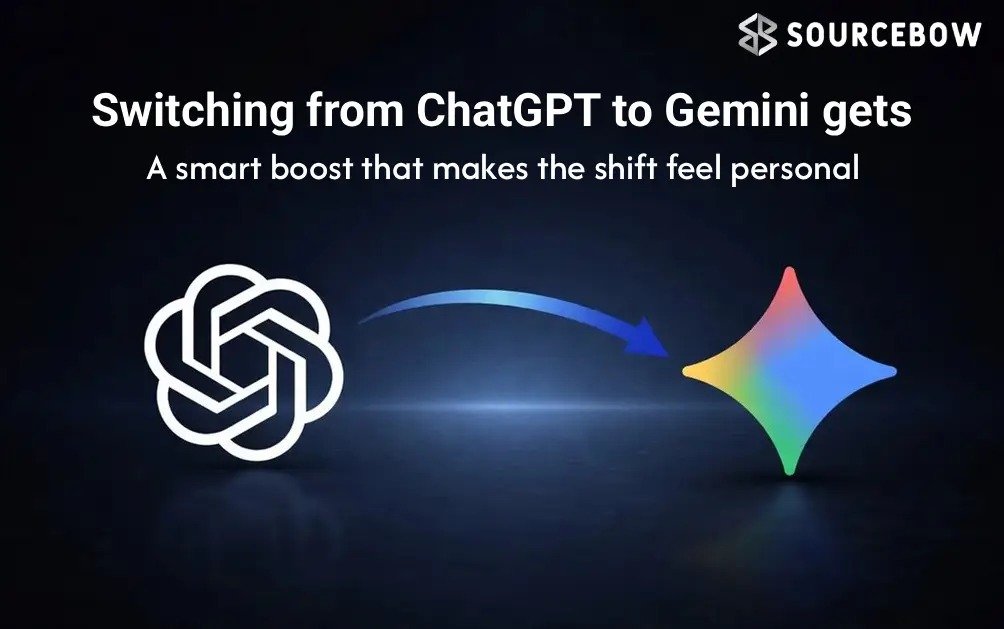
If you’ve ever tried a new AI chatbot and immediately missed the one you were already using, you’re not alone. That awkward little reset is real. The answers may still be smart, but the personality, preferences, and context you built up over time just vanish. And honestly, that’s the part that makes switching from ChatGPT to Gemini feel like a chore instead of a choice.
Now Google Gemini is trying to fix that with a new memory import feature, and it’s a bigger deal than it sounds. Instead of starting over from scratch, you can bring over useful memory from ChatGPT and let Gemini pick up the thread a lot faster. It’s the kind of thing that sounds small on paper, but in daily use it can save you from repeating yourself over and over like a broken record.
Quick Highlights
- Gemini now has a memory import option in beta.
- You can copy a prompt from Gemini and paste it into ChatGPT.
- ChatGPT returns a memory summary you can move back into Gemini.
- It helps Gemini feel more familiar, faster.
Here’s the thing: most people don’t use AI chatbots like one-off tools anymore. They use them like digital assistants, study partners, writing helpers, or even planning buddies. So when a chatbot remembers your tone, your routines, or the kind of help you prefer, it becomes a lot more useful. That’s why memory has turned into one of the
quiet battlegrounds in the AI world.
Google, Anthropic, and OpenAI all know this. And while the models themselves get a lot of attention, memory is what makes them feel less like software and more like something that understands you. A chatbot that remembers your work style or your travel preferences can be genuinely helpful. One that forgets everything the second you close the app? Not so much.
Why memory import actually matters
Let’s keep it simple. If you’ve used ChatGPT for months, it may know how you like responses framed, what topics matter to you, or what kind of examples make sense for your style. Moving to Gemini could normally mean losing all that context. That’s annoying, and for a lot of people, it’s enough to stop them from switching at all.
Memory import changes that. Instead of forcing users to stay locked into one chatbot just because of history, it gives them a way to move useful context around. That’s a much more modern idea of software, by the way. You shouldn’t have to feel trapped by the app that happened to learn you first.
Google’s Gemini memory import feature works by letting one chatbot produce an export prompt. You paste that prompt into the source chatbot, like ChatGPT, and it creates a response that summarizes or packages your memory in a way Gemini can understand. Then you bring that response back to Gemini and add it as memory.
It sounds a little circular, and yes, it is a bit of a process. But the goal is straightforward: let the new chatbot catch up without making you retype your life story.
How the Gemini memory import feature works
The basic flow is surprisingly simple once you see it in action. Gemini gives you a prompt. ChatGPT turns that prompt into a memory export. Gemini then imports that output into its own memory system. It’s less like copying a full hard drive and more like handing over a neatly organized summary of what matters.
That also means you’re not literally transferring every single chat message in some giant, messy dump. Instead, the focus is on memory and context, which is usually what users actually want anyway. Most of us don’t need every joke, typo, or random late-night brainstorm preserved forever. We just want the assistant to remember the useful stuff.
According to reports, this feature is currently available in the beta version of the Gemini app, so not everyone will see it yet. But if it shows up for you, the process is pretty manageable on a phone. And because this is still rolling out, it’s worth knowing the steps now so you’re not fumbling around later when it becomes widely available.
Step by step: importing ChatGPT memory into Gemini
If you do see the option in Gemini, here’s how the process works in plain English:
- Open the Google Gemini app on your phone.
- Tap your profile picture in the top-left corner.
- Scroll down until you find Import memory to Gemini beneath Connected Apps.
- Tap it, then copy the prompt shown at the top.
- Open ChatGPT and paste that prompt into a new chat.
- Copy the response ChatGPT gives you.
- Go back to Gemini and paste that response into the same memory import section.
- Tap Add memory to save it.
That’s really all there is to it. Not exactly magical, but useful. And honestly, a lot of good tech features are like that. They don’t feel flashy for five seconds and then disappear. They quietly remove friction from something you already do often.
One small detail worth noticing: this works best if your memory in ChatGPT is actually meaningful. If your previous chats were mostly random one-offs, the imported memory may not feel life-changing. But if ChatGPT has been helping with writing, planning, work notes, or ongoing personal preferences, the move to Gemini could feel much smoother.
A small but important shift in the AI race
The interesting part here isn’t just the feature itself. It’s what it says about where AI chatbots are heading. The competition is no longer only about who writes the best answer. It’s about who can stay useful over time without making users start over every time they switch services.
Anthropic’s Claude already supports something similar, and now Google is clearly leaning into the same idea. There are also reports that Google may eventually let users import chat history from multiple AI chatbots into Gemini at once. If that happens, it could make switching tools feel much more natural than it does today.
That would be a real shift. Because right now, users often build up little pockets of context inside each app. One chatbot knows your work habits. Another knows your study routine. Another holds your travel planning. It’s fragmented, and kind of messy. A better memory system could make all of that feel more portable.
Here’s the catch, though: memory is helpful, but it also raises questions. What exactly gets remembered? How much control do you have over it? And how easy is it to delete or revise something later? Those are the kinds of practical questions users should keep asking, because memory isn’t just a convenience feature. It’s also a trust feature.
What this means for everyday users
For most people, the biggest win is simple. You can try Gemini without feeling like you’re abandoning everything ChatGPT learned about you. That lowers the pressure. It makes experimentation easier. And in a market where AI tools are improving fast, that freedom matters more than companies sometimes admit.
If you use chatbots for productivity, the imported memory could help with:
- writing style and tone preferences
- work habits and recurring tasks
- study goals or learning focus
- personal reminders and routines
- long-running projects that need context
Think of it like moving into a new apartment. You could bring only a backpack and start fresh, sure. But if you can bring a few familiar pieces of furniture, the place stops feeling temporary. AI memory works in a similar way. It’s the difference between “this is a new tool” and “this is my tool.”
And that emotional side matters more than people admit. A lot of us don’t just want answers. We want answers that sound like they were written for us. That’s where memory becomes valuable. It’s not about making the chatbot creepy or overly familiar. It’s about making the interaction less repetitive and more helpful.
Should you trust imported memory blindly?
Probably not blindly, no. Any time you move context between services, it’s worth paying attention to what’s being shared. Imported memory can be useful, but it should also be intentional. You don’t need every detail about yourself stored forever just because a tool can handle it.
A good habit is to think of memory like a curated notebook rather than a full diary. Keep the useful parts. Trim the noise. If something doesn’t belong in a chatbot’s long-term memory, don’t push it in there just because the feature exists.
Also, since this is still in beta for some users, the exact interface may change. Features like this tend to evolve fast. Buttons move, wording changes, and rollout timing can be inconsistent. So if you don’t see the import option yet, it may simply not have reached your account.
The bigger picture
What Google is doing here is actually pretty smart. It’s not just trying to lure users over with better answers. It’s reducing the emotional cost of switching. That’s the part many companies miss. People don’t only switch tools based on raw performance. They switch when the move feels easy enough to be worth it.
Memory import makes Gemini feel more open. More flexible. Less like a walled garden. And for anyone who’s been locked into a chatbot because it “knows them too well,” this is a genuinely welcome change.
So if you’ve been curious about Gemini but didn’t want to lose your ChatGPT history, this feature could be the bridge you were waiting for. It’s not perfect, and it’s not fully rolled out everywhere yet, but it’s a meaningful step toward more portable AI experiences.
And maybe that’s the real story here. AI tools are starting to feel less like isolated apps and more like services that should move with you. That’s a good direction. It’s also a little overdue. Wouldn’t it be nice if your assistant could follow your thinking without making you start from zero every time?