What Nano Banana 2 Really Is
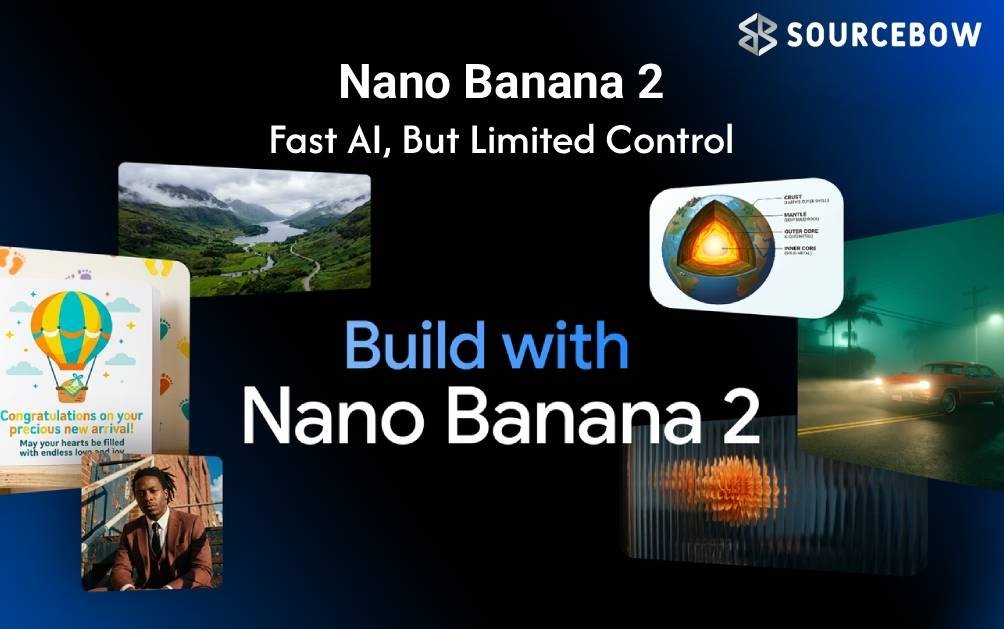
Ever felt that moment when a great idea hits but the visuals lag behind? That’s where Nano Banana 2 steps in. It isn’t just another AI image tool tucked away in a lab somewhere; it’s Google’s practical upgrade to image generation and text rendering that aims to slot neatly into daily creator workflows. In simple terms, Nano Banana 2 is a Gemini 3.1 powered image model that focuses on speed, fidelity, and legible text within visuals. It replaces the older Nano Banana Pro in many Google products, bringing faster generation, better subject consistency, and clearer on-image text—things that matter when trolling through dozens of thumbnails, banners, and slides in a single day.
For creators who juggle multiple tasks—from drafting infographics to crafting social captions—the goal isn’t just pretty pictures. It’s reliable visuals that communicate clearly and quickly. Nano Banana 2 leans into that reality by combining a sharper rendering engine with a broader ecosystem so tools you already use can generate assets with less back-and-forth. The bottom line: you can expect faster results that still look photorealistic, with text that actually reads on mobile screens.
Below, you’ll see how this upgrade translates into real-world use, who benefits most, and where to start exploring Nano Banana 2 today.
Speed, Quality, and the 4K Advantage
One headline claim is speed—and it’s not just a marketing whisper. Nano Banana 2 is designed to push real-time or near-real-time image generation across Google apps, including Flow, Google Ads, and the broader Gemini ecosystem. It’s built to deliver high-quality, photorealistic imagery at up to 4K resolution in many workflows. That means crisper product shots, more convincing scenes, and fewer rounds of revision just to get the composition right.
What about the quality bar? It isn’t a cosmetic polish. The model emphasizes:
- Sharper textures and richer lighting that read well on screens of all sizes
- Improved subject consistency—up to five characters can stay recognizable in a single scene
- Ability to manage up to 14 objects within one image without losing fidelity
And speed isn’t just about frames per second. It’s about faster iteration—you can try prompts, adjust details, and land on a suitable image with fewer attempts. That’s especially valuable for social assets and ad creatives where time is money.
Clear Text and Smart Visuals: What’s New
Text is where many AI images stumble. Nano Banana 2 shifts that balance by delivering precise and legible text directly inside visuals. Whether it’s a product name on a banner or a caption tucked into an infographic, the legibility improves during the generation phase, not as a post-editing afterthought. It also makes translating and contextualizing embedded text more practical—handy for global campaigns and multilingual audiences.
On the graphics side, expect better support for infographics, diagrams, and data visualizations. When charts or flowcharts are required, the model can produce them clearly, allowing for less need for manual rework compared to standard redesign programs. A Virtual Design is not intended to replace design software completely, but rather, it is intended to accelerate the early creative stage, so the subsequent polish can be applied more rapidly.
Real World Understanding and Contextual Awareness
AI-generated images can be lost in translation, and this is a risk with using AI in general. Nano Banana 2 helps
mitigate that risk by using more grounding from the real world and by using the context around the prompt to help “understand” what was intended. By accessing real-time data and the knowledge of Google, the model is able to interpret a prompt given that it was referring to something in the world (e.g., location, brand or something that exists in culture). That matters for educational diagrams, geography visuals, and brand-aligned marketing imagery. In practice, this reduces outputs that feel generic or out of place in a local market.
What does this mean for different creators?
- Fewer tools will lead to less time spent on fixing things and allow creators to produce higher-quality visuals faster.
- For social media managers, it means that they can place their captions or headlines right on the image so that they have clearer writing, which will result in quicker approval and posting times.
- For bloggers and other publishers, this will allow them to create article thumbnails at a much quicker rate, thereby eliminating the need for extended editing before approval.
- Designers can use Nano Banana 2 in the early concept phase to brainstorm visuals before moving to more robust design tools.
| Aspect | Nano Banana 2 | Earlier Nano Banana Pro |
|---|---|---|
| Resolution | Up to 4K | Lower ceilings |
| Text rendering | Clear and legible | Often blurrier |
| Consistency | Up to five characters | Less consistent |
| Text translation | Contextual translation | Limited |
| In-context knowledge | Web-aware, real-time info | Static knowledge |
Where It Fits in the Google Ecosystem
One of the strongest delivery points is how Nano Banana 2 isn’t just a standalone tool; it’s becoming part of a broader workflow. It’s the default image generation model in Flow, Google’s high-fidelity video creation platform, and is accessible across Google Apps, Search in AI Mode, Google Lens, and more. It can be previewed or accessed via the Gemini API and Vertex AI, which means developers and data teams can prototype or scale creative assets with less friction. For marketers, the integration with Google Ads makes it practical to generate draft visuals for banners
and campaigns, and to get suggestions for ad visuals directly in the creative brief. The key takeaway is: it’s designed to be a productive feature, not a one-off demo.
Limitations, Guidelines, and Realistic Outcomes
As with any AI system, Nano Banana 2 has its limitations – there can still be unexpected results and prompt tweaks are sometimes necessary. Although the speed and readability of the results is the goal, we will still need to provide thoughtful prompts along with quality control of generated content. Some common reminders include:
- Providing appropriate prompts can make a difference. The clearer and more organized the prompt is, the more likely it is that you will receive a well-formed response as opposed to an unclear one.
- While considerations related to authenticity of the work should be taken into account, there are still legitimate concerns when it comes to using for commercial purposes those images created using copyrighted material and/or without proper consent.
Why You Should Care: What This Means
While the visual results of Nano Banana 2 are certainly impressive in their own right, the bigger issue is the overall trend toward improvement of AI technologies to improve our ability to use these tools on a daily basis in our work. The value of these tools will not be based upon how cool the demos are, but rather how fast and effectively you can use the tools in your day-to-day routines. The combination of speed, clear text and integrated with external systems will allow you to go from creating an image of something to integrating Ai Image Creation into our workflow. This creates efficiencies by allowing you to start campaigns sooner, create product visuals more quickly and maintain consistent branding across multiple platforms. Google’s strategy clearly indicates that at some point the images generated by AI will no longer seem like an addiional step in the creative process .
To use Nano Banana 2 as an image model, you can start by going to the OpenFlow or Gemini API playground and selecting it. Input a brief prompt (e.g., “500 by 500 image, in black and white, with text” will be 500 pixels) that states that you want the image to look like the way you’re describing (i.e., include the resolution, mood, and any specific text elements).
Once you have submitted the prompt for your request, review the resulting images based on their legibility of the text elements and the fidelity of each image in terms of its representation of the subject matter. If any of the images need to be fine-tuned further with respect to the lighting, textures, or colour grading, you can add a second request to re-process those elements before exporting the final versions for use in your app.
If your team is currently using Google Ads or Google Lens when creating visual assets, you can see that using Nano Banana 2 within those existing workflows could help to save considerable amounts of time or be more on-brand/consistent than what currently exists. In short, using this tool reduces guesswork and allows for greater confidence when producing visual assets.
What can you expect from Nano Banana 2? Well, it’s not some far-off AI perfectionism; instead, it is a viable advancement of how we will generate images that relate closely to real-world demands of creating fast images with readable text, contextual rendering, and easily feeding into the existing tools that creators utilize to create. With this combination of capabilities, the final product will deliver visuals that are both aesthetically pleasing and practical daily usage. A thumbnail that attracts attention without needing an additional edit, a banner with a
clear call to action, and a diagram that tells the story in one glance. In effect, the focus is to have creative ideas become usable visuals as rapidly and reliably as possible.
As AI’s evolution continues, there seems to be a clear pattern — tools that fit within current workflows and directly improve productivity will lead the way forward. Nano Banana 2 is representative of that transition by making high-quality, brand-consistent visuals a reality for a much wider set of creators all over the globe. Beyond what it can do, how will it impact the way we create content in our daily routines?
To use Nano Banana 2 as an image model, you can start by going to the OpenFlow or Gemini API playground and selecting it. Input a brief prompt (e.g., “500 by 500 image, in black and white, with text” will be 500 pixels) that states that you want the image to look like the way you’re describing (i.e., include the resolution, mood, and any specific text elements).
Once you have submitted the prompt for your request, review the resulting images based on their legibility of the text elements and the fidelity of each image in terms of its representation of the subject matter. If any of the images need to be fine-tuned further with respect to the lighting, textures, or colour grading, you can add a second request to re-process those elements before exporting the final versions for use in your app.
If your team is currently using Google Ads or Google Lens when creating visual assets, you can see that using Nano Banana 2 within those existing workflows could help to save considerable amounts of time or be more on-brand/consistent than what currently exists. In short, using this tool reduces guesswork and allows for greater confidence when producing visual assets.
What can you expect from Nano Banana 2? Well, it’s not some far-off AI perfectionism; instead, it is a viable advancement of how we will generate images that relate closely to real-world demands of creating fast images with readable text, contextual rendering, and easily feeding into the existing tools that creators utilize to create. With this combination of capabilities, the final product will deliver visuals that are both aesthetically pleasing and practical daily usage. A thumbnail that attracts attention without needing an additional edit, a banner with a
clear call to action, and a diagram that tells the story in one glance. In effect, the focus is to have creative ideas become usable visuals as rapidly and reliably as possible.
As AI’s evolution continues, there seems to be a clear pattern — tools that fit within current workflows and directly improve productivity will lead the way forward. Nano Banana 2 is representative of that transition by making high-quality, brand-consistent visuals a reality for a much wider set of creators all over the globe. Beyond what it can do, how will it impact the way we create content in our daily routines?