What the Google AI Plus Plan Is All About
1. Expanded Access to Google’s Best AI Models
At the heart of AI Plus is Gemini 3 Pro, one of Google’s most capable multimodal AI models. Multimodal means the model can understand and work with text, images, and more. With AI Plus, subscribers get extended access inside the Gemini app compared with the free tier. That includes higher usage limits and deeper capabilities for tasks like:
- Writing and editing long-form content
- Researching and summarising complex information
- Generating and refining ideas for projects or presentations
- Coding assistance and debugging help
- Interpreting and working with multimodal inputs such as images and PDFs
Free users still get access to Google’s AI, but their usage limits and the depth of features are significantly smaller. AI Plus bridges that gap in a package that’s substantially more capable than the free tier but more affordable than Google’s highest-end subscriptions.
Alongside Gemini 3 Pro, subscribers also receive enhanced access to Nano Banana Pro, Google’s more advanced image generation and editing model. Nano Banana Pro enables finer control, higher-quality generated images, and more flexible editing options compared with the basic tooling offered to free users.
2. Smarter Creative Tools for Images and Video
AI Plus isn’t just about text and research. It includes upgraded creative tools that open new possibilities for visual content creators and hobbyists:
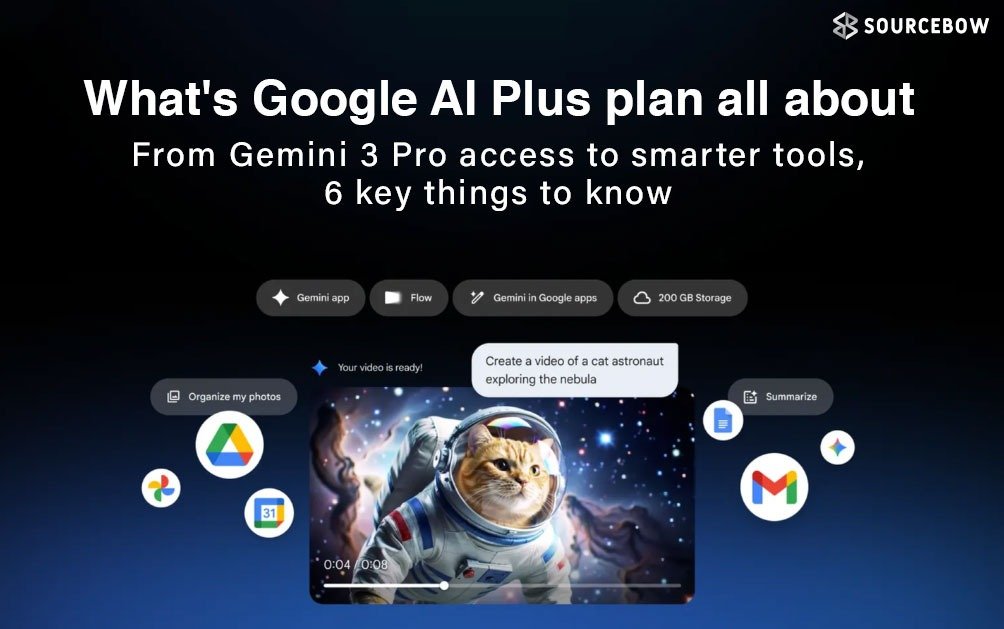
- Flow — an AI video creation tool that helps turn concepts and short scripts into cinematic clips;
- Whisk — which can transform still images into animated content or motion-ready assets;
- Video generation features powered by models such as Veo 3.1 Fast for speedy rendering and iteration.
Subscribers receive a monthly quota of AI credits that can be spent on these creative tools. Free users have smaller quotas and lower limits. For social creators, small agencies, or anyone who wants to experiment with video and image generation without investing in costly editing suites, AI Plus makes rapid prototyping and content creation considerably easier.
3. AI Built Into Everyday Google Apps
One practical advantage of AI Plus is that Gemini’s intelligence doesn’t remain isolated in a single app. Instead, it integrates into the Google services many people already use every day. These integrations include:
- Gmail — draft, polish, or rewrite emails with tone and length suggestions;
- Google Docs — summarise, expand, or clarify sections of text and assist with structural edits;
- Google Drive — run AI assistance on documents stored in Drive to extract key points and action items;
- Google Photos — improved organization, tagging suggestions, and creative prompts based on your library.
This deep integration sets AI Plus apart from third-party AI tools that require you to move data between apps. Because the features are woven into the products people already use, the subscription smooths common tasks, speeds up routine workflows, and reduces context switching.
4. NotebookLM for Deeper Research and Insight
AI Plus also expands access to NotebookLM, Google’s research and writing assistant. NotebookLM is designed to help users manage and extract insights from large volumes of reading material. Practical uses include:
- Analysing long documents, reports, and technical papers
- Producing structured summaries and annotated notes
- Creating shareable notebooks with audio overviews or quick summaries
- Organising research materials and building an accessible, searchable archive
For students, researchers, consultants, and analysts who regularly work with dense material, NotebookLM’s expanded features under AI Plus are a meaningful upgrade over the limited free access. It saves time and helps turn raw information into actionable insight faster.
5. Extra Cloud Storage That Matters
Storage is a practical concern as AI generates more content and projects grow more multimedia-heavy. Unlike the basic free tier, which offers 15 GB of shared storage across Gmail, Drive, and Photos, the AI Plus subscription includes 200 GB of cloud storage. That additional space helps in three main ways:
- AI-generated content such as images or short videos can quickly consume space;
- Multimedia projects and assets for creative work often require larger storage capacity than text alone;
- Research materials, backups, and archives benefit from reliable cloud storage that is accessible across devices.
The plan’s storage also supports family sharing: AI Plus can be shared with up to five family members, which increases the value proposition for households that want a single subscription to cover several people.
6. Pricing, Positioning, and Why It Matters
Google has priced AI Plus to be a competitively positioned mid-tier option. In India, for example, the plan is listed at ₹399 per month, with an introductory offer of ₹199 per month for the first six months for new subscribers. That pricing places AI Plus well below Google’s highest tiers while offering meaningful capabilities that outstrip free access.
Strategically, Google aims to attract users who want dependable, well-integrated AI without paying premium prices. The plan competes with other affordable AI subscriptions, while offering tight integration with Google’s ecosystem as a differentiator. Users who are already embedded in Gmail, Drive, and Google Photos will find the upgrade especially convenient.
Final Thought
In practical terms, the Google AI Plus plan is a deliberate step toward making advanced AI more widely accessible. It blends powerful models like Gemini 3 Pro, creative tools for images and video, expanded research features through NotebookLM, and useful cloud storage into a single, mid-priced subscription. That mix is aimed at users who want more than the free tier but do not need or want the highest-end enterprise capabilities.
For many people, AI Plus will feel like a sensible upgrade rather than a major commitment. It accelerates everyday tasks, smooths creative workflows, and offers tools that can genuinely change how small teams, students, and creators work. Whether you’re experimenting with AI-generated visuals, summarising technical papers, or simply automating repetitive writing tasks, AI Plus aims to make those things faster and more reliable.