Introduction
If you’re a student right now, you probably don’t need another shiny app that promises to “change everything.” You need something that actually helps with the real stuff: finding sources, making sense of class material, solving problem sets, and maybe even finding the next internship before everyone else does. That’s why the best AI tools for students are the ones that do more than summarize a page and call it a day.
The truth is, a lot of tools sound impressive until you try to use them for actual coursework. Then they either get too vague, too generic, or too focused on looking clever. So, the better question isn’t whether AI can help students. It’s which tools are genuinely useful when deadlines are real and the work is messy.
Quick Highlights
- Some tools are better for studying, not just searching.
- Citations and references can be automated.
- A few tools help with math and science step by step.
- Career platforms can help you move ahead early.
- The best choice depends on the task in front of you.
Which tools are best for studying and research?
Some of the most useful tools here are the ones that turn messy class material into something you can actually work with. That’s the difference between staring at a pile of notes and having a real way to study from them. If you’ve ever opened a PDF five times and still felt lost, you already know why this matters.
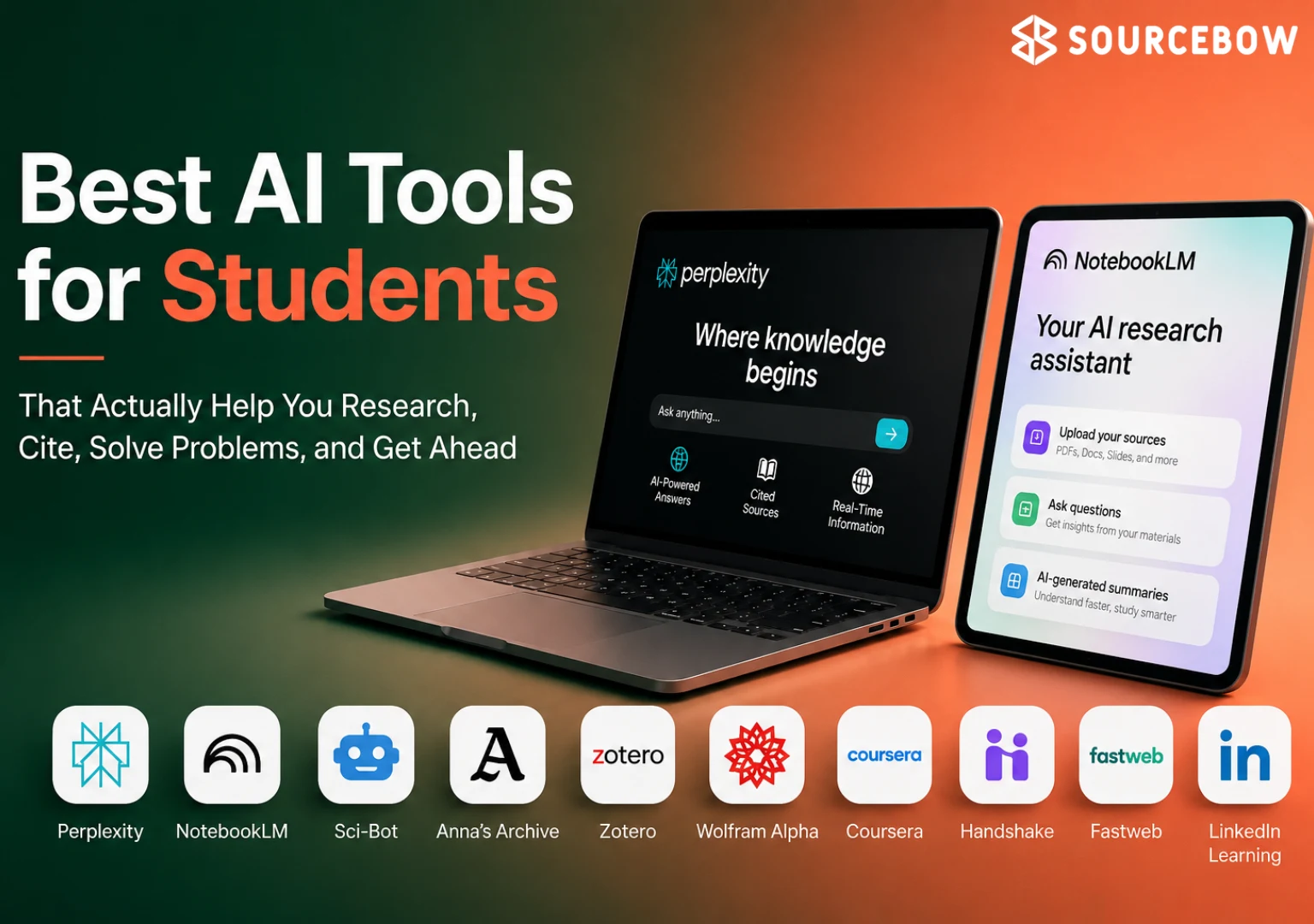
NotebookLM can turn lecture notes, PDFs, and textbooks into a personal AI tutor, which is especially handy when you’re trying to study from your own material instead of the whole internet. Perplexity gives AI-backed answers with cited sources, so it’s a lot more useful when you need quick research you can verify. Then there are Sci-Bot and Anna’s Archive, which go deeper into academic search. Sci-Bot is focused on research papers, while Anna’s Archive acts like a massive search engine for books, papers, and academic resources.
Now, that mix matters because students don’t all need the same thing. Sometimes you need a tutor. Sometimes you need a research assistant. Sometimes you just need a way to find the source everyone keeps mentioning but nobody linked properly. These tools each fit a different part of that workflow.
NotebookLM, Perplexity, Sci-Bot, and Anna’s Archive each do a different kind of research work
NotebookLM is best when the source material is already yours, since it works from lecture notes, PDFs, and textbooks. That makes it feel less like a search engine and more like a study partner that already knows your class. Perplexity is the more open-ended option for researching almost any topic with cited answers, which is useful when you’re starting from zero and need a fast first pass. Sci-Bot and Anna’s Archive are more direct academic discovery tools, built for finding literature and resources instead of just explaining a topic in plain English.
If you’re the kind of student who likes to compare tools before picking one, here’s the simple version: NotebookLM helps you work through your own materials, Perplexity helps you explore a topic with sources attached, Sci-Bot helps you look for research papers, and Anna’s Archive helps you track down books and academic material that might otherwise be annoying to find.
| Tool | Main use | What stands out |
|---|---|---|
| NotebookLM | Study from lecture notes, PDFs, textbooks | Personal AI tutor |
| Perplexity | Research any topic | AI-backed answers with cited sources |
| Sci-Bot | Search research papers | AI-powered answers from academic literature |
| Anna’s Archive | Find books, papers, academic resources | Massive search engine |
That table isn’t just for comparison’s sake. It helps you notice something important: research isn’t one job. It’s a bunch of smaller jobs stacked together. One tool helps you understand, another helps you verify, and another helps you find the source in the first place. When students get stuck, it’s often because they’re trying to use one app for all three.
Which tools help with citations, problem-solving, and coursework?
Once the reading is done, the next issue is what you do with the work: cite it properly, solve the problem, or keep moving. And honestly, this is where a lot of students get slowed down. You can read the article, watch the lecture, and still end up stuck formatting references or checking a formula for the third time.
Zotero handles references and citations automatically, which is a huge relief when your assignment has five sources and your professor wants everything in a specific style. Wolfram Alpha solves math, science, and engineering problems step by step, so it’s useful when the answer matters less than the path to the answer. Then there’s Coursera’s free Learning How to Learn course, which is there for the part students usually ignore until it starts hurting: studying more effectively.
Zotero and Wolfram Alpha solve very different student problems
Zotero is the quiet utility here, built for citation management and references. It doesn’t try to impress you. It just saves time, keeps things organized, and makes it less likely you’ll lose track of a source the night before a deadline. Wolfram Alpha is much more direct, especially for step-by-step problem solving in math, science, and engineering. If you’ve ever needed to check your work after doing half a problem correctly and then getting lost in the middle, that’s where it shines.
Coursera’s Learning How to Learn adds a different layer entirely, since it is about how to study rather than what to study. And that matters more than people think. A student can have all the notes in the world and still study in a way that doesn’t stick. This course is useful because it forces you to think about the process, not just the content.
- Zotero: organize references and generate citations automatically
- Wolfram Alpha: solve math, science, and engineering problems step by step
- Coursera / Learning How to Learn: a free course focused on better study habits
If you want the practical takeaway, it’s simple. Use Zotero when the headache is citations. Use Wolfram Alpha when the headache is the actual problem. Use the learning course when the headache is your study routine itself. Those are three very different student problems, and trying to solve them with one tool usually makes life harder, not easier.
Which websites help students with internships, scholarships, and career moves?
The last group is less about studying and more about what comes after it. That’s where things get interesting, because a lot of students don’t realize how early they can start building momentum. You don’t have to wait until graduation to start looking around. In fact, the earlier you do, the better your options usually are.
Handshake is built for students looking for internships, graduate jobs, and career opportunities, while Fastweb focuses on scholarship matching based on your profile. LinkedIn Learning rounds things out with thousands of professional courses, and many of them are free through schools and universities. So, if your goal is to get ahead in a more visible, practical way, these platforms can help you move before everybody else scrambles at the end of the semester.
| Platform | Best for | Notable detail |
|---|---|---|
| Handshake | Internships and graduate jobs | Built for students |
| Fastweb | Scholarships | Matched to your profile |
| LinkedIn Learning | Professional courses | Thousands available, often free through schools and universities |
What makes this section useful is that each platform matches a different kind of next step. Handshake is about landing opportunities. Fastweb is about reducing the cost of school. LinkedIn Learning is about building skills that show up on a résumé, in a portfolio, or in a job interview later on. You might not need all three today, but it’s smart to know where they fit before you do.
FAQ
These questions usually come from readers trying to figure out which tool fits their immediate student problem, not from people looking for a full comparison.
Q: Which AI tool is best for students who want cited research answers?
Perplexity is the clearest fit because it gives AI-backed answers with cited sources. That makes it a strong choice when you need a fast answer but still want to check where it came from, which is a pretty normal student requirement.
Q: What is the best tool for organizing citations?
Zotero is the strongest option here because it organizes references and generates citations automatically. If citations are the part of the assignment that always turns into a mess, this is the kind of tool that quietly makes the whole process less painful.
Q: Which website helps students find internships and jobs?
Handshake is built for internships, graduate jobs, and other student career opportunities. It stands out because it’s designed with students in mind instead of trying to be a generic job board for everyone.
Q: Is there a free course that helps students study better?
Yes — Coursera’s Learning How to Learn is a free course focused on studying more effectively. It’s especially helpful if you know how to work hard but aren’t totally sure whether your study method is actually working.
Conclusion
The best AI tools for students are the ones that solve a real task: researching, citing, calculating, finding opportunities, or learning how to study better. That’s the real filter. Not hype, not trendiness, not the tool that shows up in every ad. Just usefulness.
If you want the biggest payoff fast, start with the tool that matches the problem you actually have, not the one with the flashiest name. A student who uses the right tool at the right moment usually gets ahead faster than the one who keeps collecting apps and hoping something clicks.
In other words, don’t chase “best” in the abstract. Pick the tool that helps with the thing you’re stuck on right now. That usually makes all the difference.