If you run support in 2026, you’ve probably already felt the pressure. Customers want faster answers, agents are stretched thin, and leadership wants proof that every new tool will pay for itself. That’s why Best AI tools for customer service has moved from a nice research topic to an urgent buying decision.
The interesting part isn’t just that AI can answer tickets. It’s that the right setup can lower operating costs, reduce burnout, and keep response times steady when volume spikes. Zendesk’s CX benchmark report suggests 81% of consumers now consider AI essential in support, and IBM projects that 71% of organizations want touchless support by 2027. So this isn’t hype anymore. It’s a real operating shift.
Quick Highlights
Now, here’s the thing: not every platform fits every business. A mid market SaaS company doesn’t need the same setup as a regulated enterprise, and a small team usually cares more about launch speed than fancy dashboards. That’s why the real question isn’t “Which tool has the most features?” It’s “Which system will actually fit your support model, budget, and team maturity without becoming another expensive software shelf item?”
Below, I’ll walk through what these tools do, how they differ from old school bots, which platforms stand out, and how to think about ROI before you sign anything.
What AI customer service tools actually do, and why businesses keep adopting them
At the simplest level, AI customer service tools are systems that help support teams answer questions, route tickets, detect intent, and handle repetitive requests with far less manual effort. They use NLP customer service methods to understand what a customer is asking, machine learning to improve from past interactions, and sometimes generative AI support features to draft or fully generate responses.
That sounds technical, but in practice it just means the software can do more than match keywords. It can interpret intent, sense urgency, and push a conversation toward the right next step. So instead of a customer getting trapped in a loop of rigid menu options, the system can act more like a capable assistant.
This is also where people often mix up automation and augmentation. Automation is when the software handles the work on its own, like resolving a password reset or checking an order status. Augmentation is when it helps the human agent move faster, maybe by summarizing a thread, suggesting a reply, or surfacing account context. The best results usually come from both.
Businesses are adopting these platforms because the economics are hard to ignore. Many teams report around a 35% reduction in support operating costs after implementation, and in busy seasons AI can reduce staffing needs by up to 68%. That doesn’t mean you fire everyone. It means your team stops drowning in repetitive work and can focus on the conversations that actually need judgment.
There’s also a customer expectation angle. In 2026, AI-first support expectations are becoming normal. People want answers now, across chat, email, voice, and social. They don’t care that your internal queue is messy. They just want the issue fixed. That pressure is pushing companies toward customer experience automation and more intelligent support workflow automation.
Gartner has also been pointing toward rapid AI-assisted CX adoption, which lines up with what many teams are already seeing: a shift from “Should we use AI?” to “How much of support should AI handle before a human steps in?”
How AI customer support platforms differ from traditional chatbots
This one matters a lot, because plenty of buyers still think a chatbot is a chatbot. It’s not. The gap between old scripted bots and modern conversational AI customer service systems is huge.
| Factor | Traditional chatbot | AI customer support platform |
|---|---|---|
| Conversation handling | Scripted flows and keywords | Intent-aware replies and dynamic paths |
| Learning over time | Very limited | Improves through machine learning |
| Sentiment handling | Usually none | Can detect frustration or urgency |
| Escalation | Often clunky | Designed for smoother human handoff |
| Context retention | Minimal | Keeps context across steps and channels |
The big differentiator is context. A traditional bot might remember that someone clicked “billing” five seconds ago. An AI system can remember the actual issue, the tone of the conversation, and sometimes even what happened in earlier tickets. That’s why modern AI support agents feel less like rigid forms and more like practical helpers.
Another shift is how these tools handle escalation. Older bots tend to fail loudly. Modern systems are supposed to fail gracefully, which means they recognize when a human should step in, pass the conversation with context, and avoid making the customer repeat themselves. That alone improves experience more than people expect.
Benchmarks vary by use case, but routine query resolution rates in strong systems often land between 80% and 95% accuracy when the knowledge base is clean and the workflows are well designed. That’s a pretty big deal if most of your queue is made of repetitive questions anyway.
The best AI tools for customer service in 2026
Let’s get into the actual platforms. I’m keeping this practical, because the “best” choice depends on whether you need enterprise depth, SMB speed, or a low-risk way to test AI without blowing up your support stack.
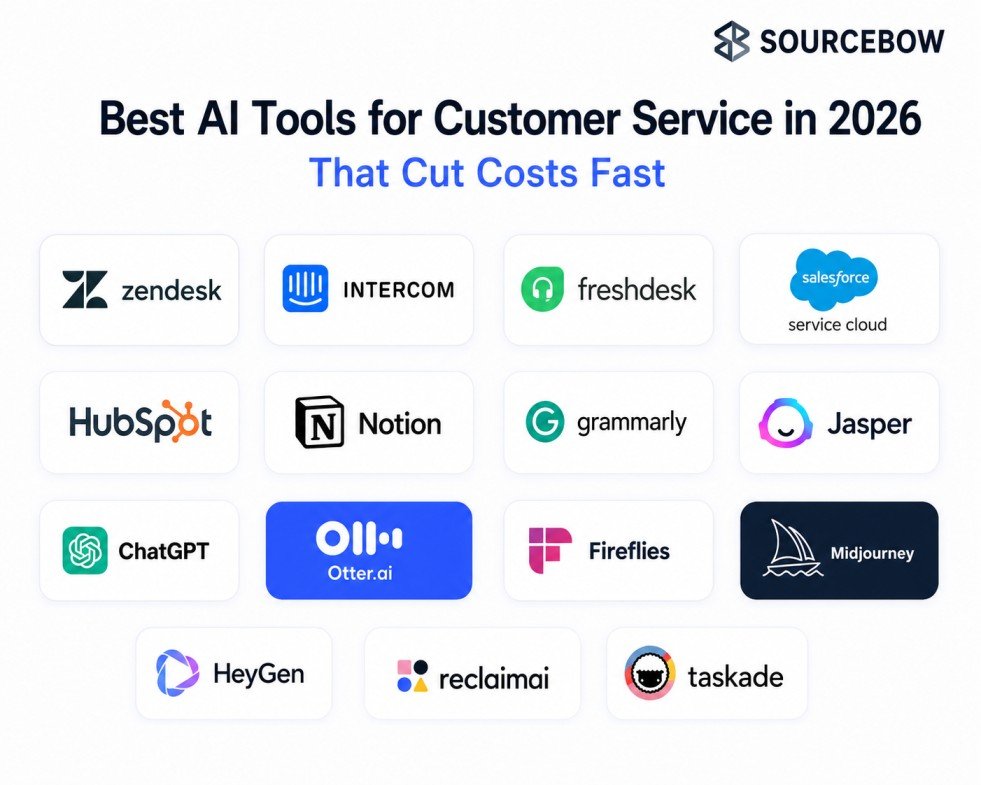
Zendesk AI is one of the strongest picks for large support teams that need omnichannel support and a serious AI-powered ticketing system. It’s built for consolidation, which matters when your support motion spans email, chat, self-service, and internal routing. One standout claim is that Zendesk AI can handle about 80% of interactions autonomously, which is exactly the kind of number that makes an operations leader pay attention.
It works well when you need scale, governance, and a clear path away from fragmented tools. The downside, as with most enterprise systems, is that setup takes planning. It’s not a weekend project.
Intercom Fin is a strong fit if you care about pricing alignment and AI-native workflows. Its outcome-based model, with pricing around $0.99 per resolved conversation, makes it easier to map spend to actual usage. That’s appealing for fast-growing teams that want AI customer service software without signing up for per-seat
inflation that keeps creeping up every renewal cycle.
Intercom also feels very much like it was designed around modern support behavior, not bolted on later. If you want a customer service chatbot platform that leans into GPT-4 powered resolution and multichannel deployment, it’s a serious contender.
Freshdesk Freddy AI is often the practical entry point for SMBs. The free plan supports up to 3 agents, which lowers the barrier to trying an automated help desk without a big commitment. It’s a good fit for growing teams that need affordable routing, sentiment prioritization, and SLA tracking before they jump into something
more complex.
Salesforce Service Cloud makes sense when your support team needs to live inside a broader customer intelligence ecosystem. Starting around $25 per user per month, it can be attractive at first glance, but the real value comes from deep CRM integration, predictive service, and enterprise workflows. This is usually less about cheap tickets and more about unifying customer data across teams.
HubSpot Service Hub is interesting for RevOps-heavy organizations. The appeal is the shared customer visibility across sales, marketing, and service. For companies already using HubSpot’s CRM, the support side can feel much less siloed, and the freemium angle makes experimentation easier.
Kapture CX is more niche, but that’s the point. It’s a better fit for regulated industries like healthcare or BFSI where compliance, custom workflows, and controlled omnichannel support matter more than flashy demos. If your buying decision includes legal or risk teams, that compliance-first angle is important.
Here’s a simple way to think about the list:
- Zendesk for enterprise scale and consolidation
- Intercom Fin for usage-based economics and fast-moving teams
- Freshdesk for low-risk SMB adoption
- Salesforce for CRM-heavy enterprise operations
- HubSpot for RevOps alignment
- Kapture CX for regulated and custom environments
How to choose the right AI customer service platform without regretting it later
This is where a lot of teams go wrong. They compare feature lists, get excited by a demo, and forget to ask whether the tool actually fits their operating reality. That’s usually how software gets bought and quietly underused.
Start with integration capability. If the platform can’t connect cleanly to your CRM, ticketing system, knowledge base, and analytics stack, the AI ends up working in a silo. And siloed AI is just expensive friction with a friendly
interface.
Then look at scalability. A tool that works for 5 agents might buckle under 50, especially if queue design, permissions, and workflows weren’t built for complexity. That’s one reason enterprise implementation timelines often
run 3 to 6 months. There’s setup, testing, governance, and training. It adds up.
Pricing model matters more than most vendors admit. Per-seat pricing can feel simple, but it often inflates over time as your team grows. Usage-based pricing can be much better for variable volume, especially if your support demand spikes around launches or seasonal events. Over 24 months, that difference can be bigger than the sticker price suggests.
Security and compliance also need to be part of the conversation early, not as an afterthought. If you’re in a regulated industry, ask how data is stored, what audit trails exist, how permissions work, and whether the vendor supports your governance needs. In 2026, AI governance is becoming a real buying criterion, not just an internal policy document.
Finally, be honest about implementation capacity. Do you have someone internal who can own configuration, knowledge-base cleanup, workflow design, and ongoing maintenance? If not, the platform may still be worth it, but the hidden onboarding and maintenance burden should be part of your budget.
What ROI AI customer support automation can actually deliver
Now for the part everyone asks about. Does it pay off?
Usually, yes. But the best ROI isn’t only about cutting headcount. That’s too narrow. A smarter way to look at AI customer support automation is through four buckets: cost, speed, experience, and team health.
On the cost side, the benchmark is pretty clear. Many organizations see about $3.50 in return for every $1 invested, and 90% of CX leaders report positive ROI from AI adoption. Those are strong signals, but the real story is what happens underneath them.
Support teams often get faster resolution times because AI handles routine questions instantly. That means fewer tickets aging in the queue, fewer repeat contacts, and better uptime for customers who just want a simple answer. For 24/7 support economics, that matters a lot. You’re not staffing every minute with the same intensity, but customers still feel like someone’s there.
Then there’s burnout reduction, which gets ignored way too often. When agents spend less time answering the same three questions all day, they’re less exhausted and more useful on complex cases. That can improve retention, which is another hidden cost saver. Hiring and training support staff is expensive, and turnover is annoying even before it gets pricey.
AI also helps during peak periods. In some cases, staffing needs drop by as much as 68% during spikes because the system absorbs a big chunk of first-line traffic. And if you’ve ever survived a launch week or holiday surge, you know how much that matters.
IBM’s projection that 71% of organizations aim for touchless support by 2027 suggests this isn’t a short-term trend. It’s becoming the direction of travel. The companies that start now will usually have cleaner data, better workflows, and more realistic expectations by then.
Should small businesses build a custom chatbot or buy a platform?
This question comes up a lot, especially for SMBs that want an AI chatbot for customer support but don’t want enterprise pricing. The honest answer is: it depends on volume, complexity, and how much technical maintenance you can handle.
Custom builds can look appealing because they promise flexibility. You can tailor the bot to your brand, your workflow, and your exact use case. If you only need one narrow function, that might be enough. But once you include maintenance, updates, training, monitoring, and edge-case handling, the economics change fast.
Buying a platform is usually faster. For many small businesses, deployment takes days to weeks rather than months. That speed matters because support pain is often immediate. You don’t have time to spend three quarters building something that’s only slightly better than the manual process you already hate.
For SMBs handling roughly 1,000 to 5,000 conversations, the 24-month cost can actually be lower with a well-chosen SaaS platform than with a custom build, especially when you factor in engineering time and ongoing upkeep. That’s the part people forget. Subscription fees are visible. Maintenance drag is sneaky.
So, if you’re a small team with limited technical resources, buying is usually the safer move. If you have a highly specific workflow or a unique vertical requirement, custom can make sense. The rise of vertical-specific AI assistants is making this decision more nuanced, but the basic rule still stands: don’t build just because building feels smarter.
Best AI customer service platforms compared
To make this a little easier, here’s a quick comparison of the leading options. Think of it as a shortlist, not a final verdict.
| Platform | Best For | Pricing Model | Key Strength | Ideal Company Size |
|---|---|---|---|---|
| Zendesk AI | Enterprise | Per seat | Omnichannel AI | Enterprise |
| Intercom Fin | SMBs | Per resolution | GPT 4 automation | SMB |
| Freshdesk | Growing teams | Subscription | Affordable AI | SMB |
| Salesforce Service Cloud | Large enterprises | Enterprise pricing | CRM intelligence | Enterprise |
| HubSpot Service Hub | RevOps teams | Freemium | Unified CRM | Mid market |
| Kapture CX | Regulated industries | Custom | Compliance workflows | Enterprise |
A quick note on cost transparency: a cheap monthly price can still become expensive once onboarding, configuration, and internal labor are added. That’s why total cost of ownership matters more than subscription pricing alone. If a tool saves money in year one but becomes messy in year two, it may not actually be the winner.
FAQ
What is the best AI tool for customer service?
The best option depends on your size and complexity. Zendesk is often the strongest enterprise choice, while Intercom Fin and Freshdesk are better fits for SMBs that want faster deployment and simpler economics.
How much do AI customer service tools cost?
Prices range from free tiers to enterprise contracts that can exceed $10,000 per month. Intercom uses a per resolution model, Freshdesk offers a free plan for up to 3 agents, and Salesforce starts at $25 per user per month.
Can AI replace human customer support agents?
Not completely. AI is great for repetitive, high volume tasks, but humans are still needed for emotional, complex, or high stakes cases. The stronger model is augmentation, not full replacement.
How long does implementation take?
SMB chatbot deployment can happen in days to weeks, while enterprise rollouts with integrations and governance usually take 3 to 6 months.
What features should I look for?
Look for NLP customer service, omnichannel support, AI ticket routing, sentiment analysis, CRM integration, reporting, and smooth human handoff.